
StepFORM
StepFORM is an online builder where you create stylish surveys, online calculators and other types of forms for websites, messengers and social networks.

UX / UI design
Product design
Design management
Goal
Make a SaaS* form builder, calculators and quizzes with math, scoring and logic.
SaaS (Software as a service) is when programs are accessed remotely and subscribed to. is when software is accessed remotely and on a subscription basis.
My role
From the end of 2018 to the end of 2019, I served as a product designer. I was responsible for creating from scratch all product interfaces, identity, website page design and some templates.
Interfaces were created in Figma or directly in HTML and CSS.
Description
StepFORM is a builder in which the user can create complex calculator forms with logic and formulas.
Example of a form with calculation of the cost of building a house
Advantages
In StepFORM, the user has a wide set of controls and flexible options for customizing these controls. This allows you to create unique forms with calculations.
For example, it could be a complex calculation of the cost of repairs based on the square footage of a room, or ordering a pizza based on the quantity, type of pizza and diameter.
You can make the form of several steps. For example, leave the calculation on the first step and filling in the contact details on the second step.
The user creates such a form and then places it on the website or as a link in social networks.
Form calculators allow you to do some of the work automatically, give a preliminary estimate of the work, or collect data.
It is also a good way to attract customers and increase sales. Since the customer does not want his labor to be wasted and he is inclined to continue to cooperate.
Builder
GOAL
Make a user-friendly multi-page form builder with math, scoring, control customization, text and control values editor.
Solution
Did a great job of creating the interface:
- Design work with multi-page forms
- Adding controls
- Editing text
- Designed and designed 18 controls and their customizations
- Controls editing options
- Design and logic of value scoring
- Design and logic of mathematical formulas to output the result
- Many boundary states, micro interactions and customizations
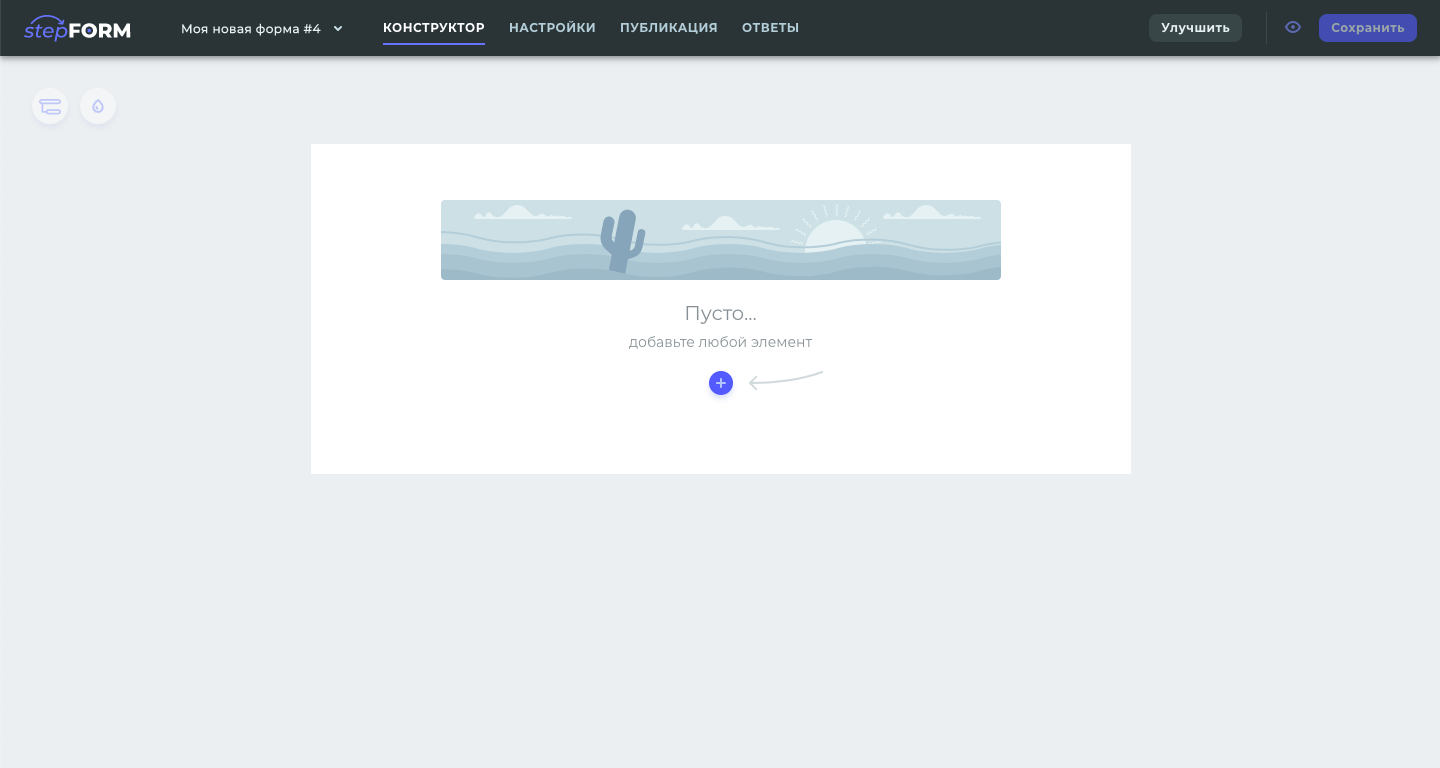
The base state of an empty project invites you to start working with the form
Photo by Ralph (Ravi) Kayden
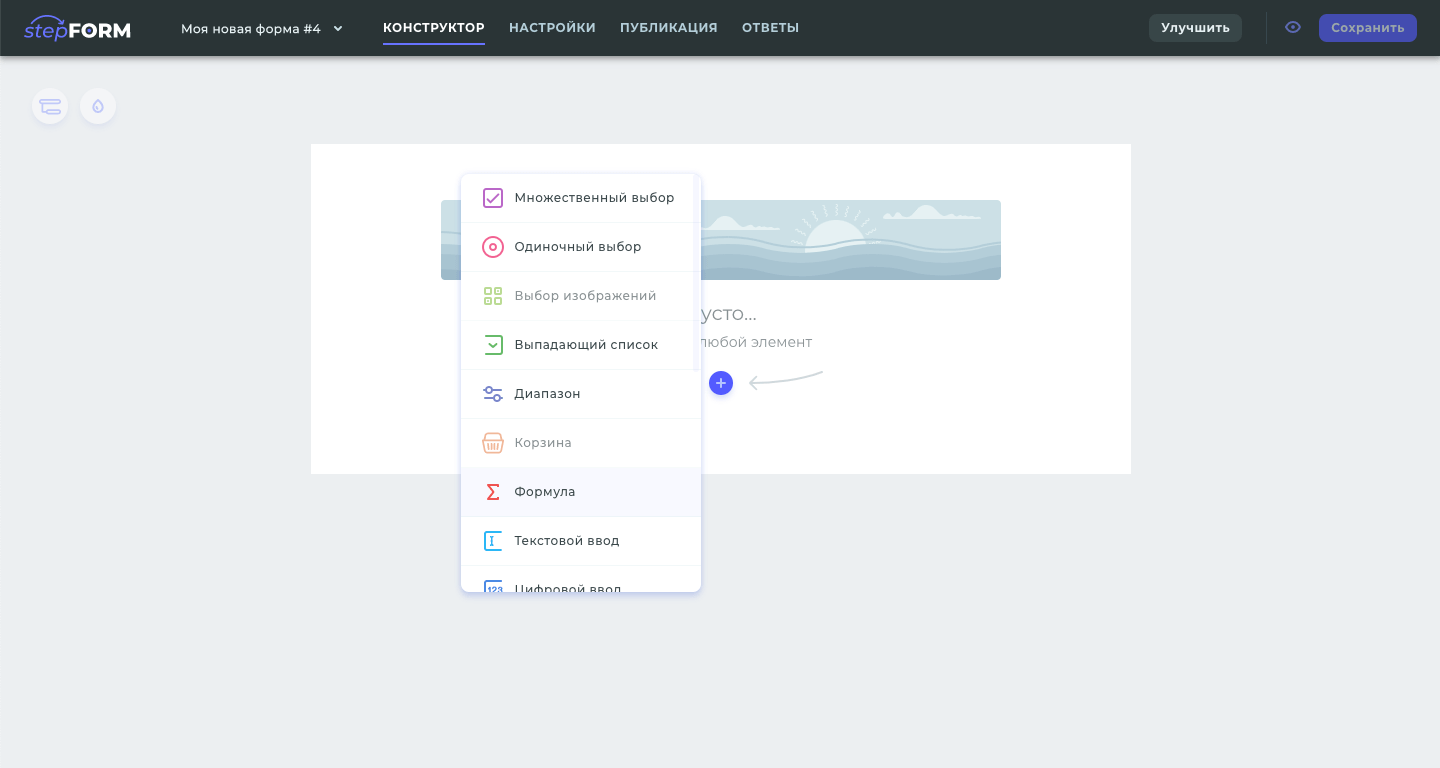
The discerning user has 18 different controls to create a survey
Photo by Ralph (Ravi) Kayden
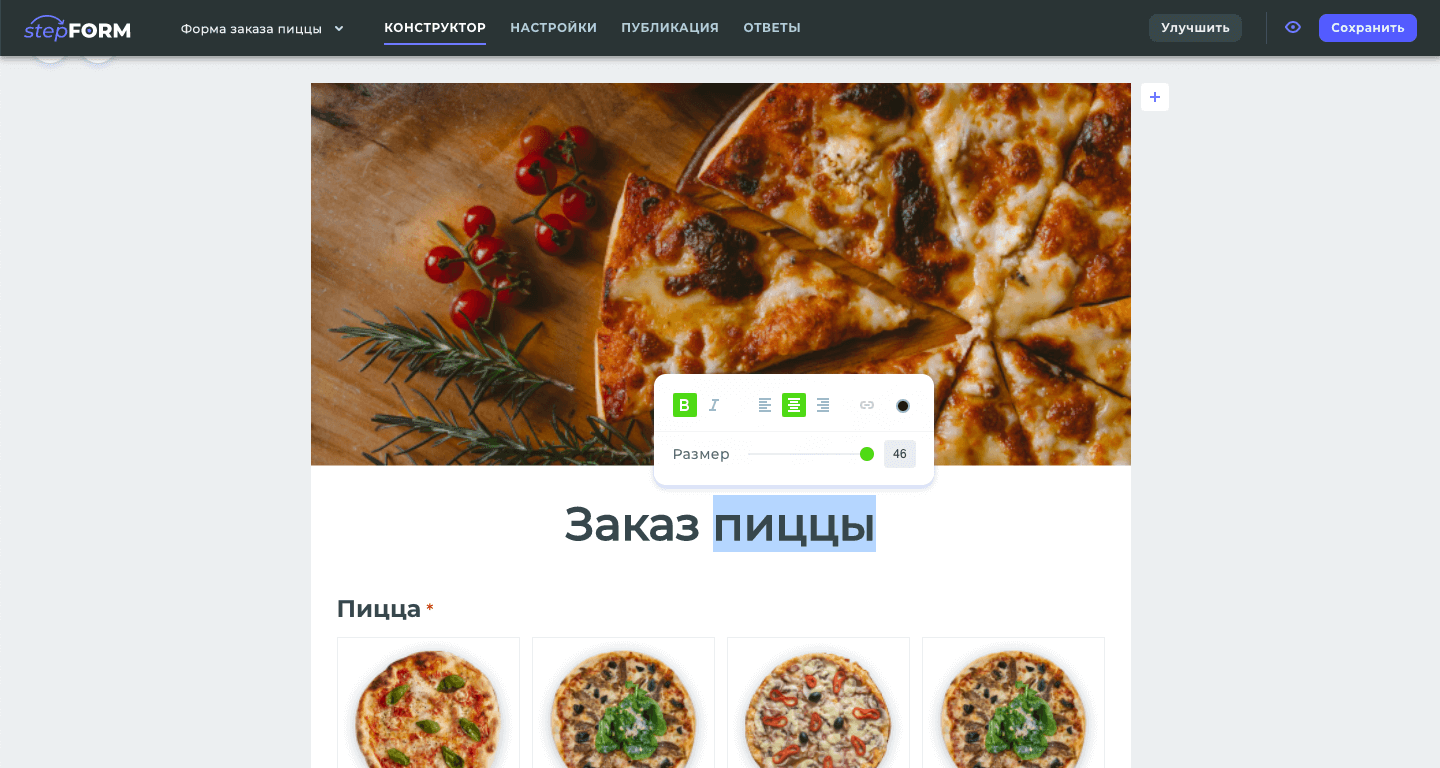
Text controls have a built-in style editor
Photo by Ralph (Ravi) Kayden
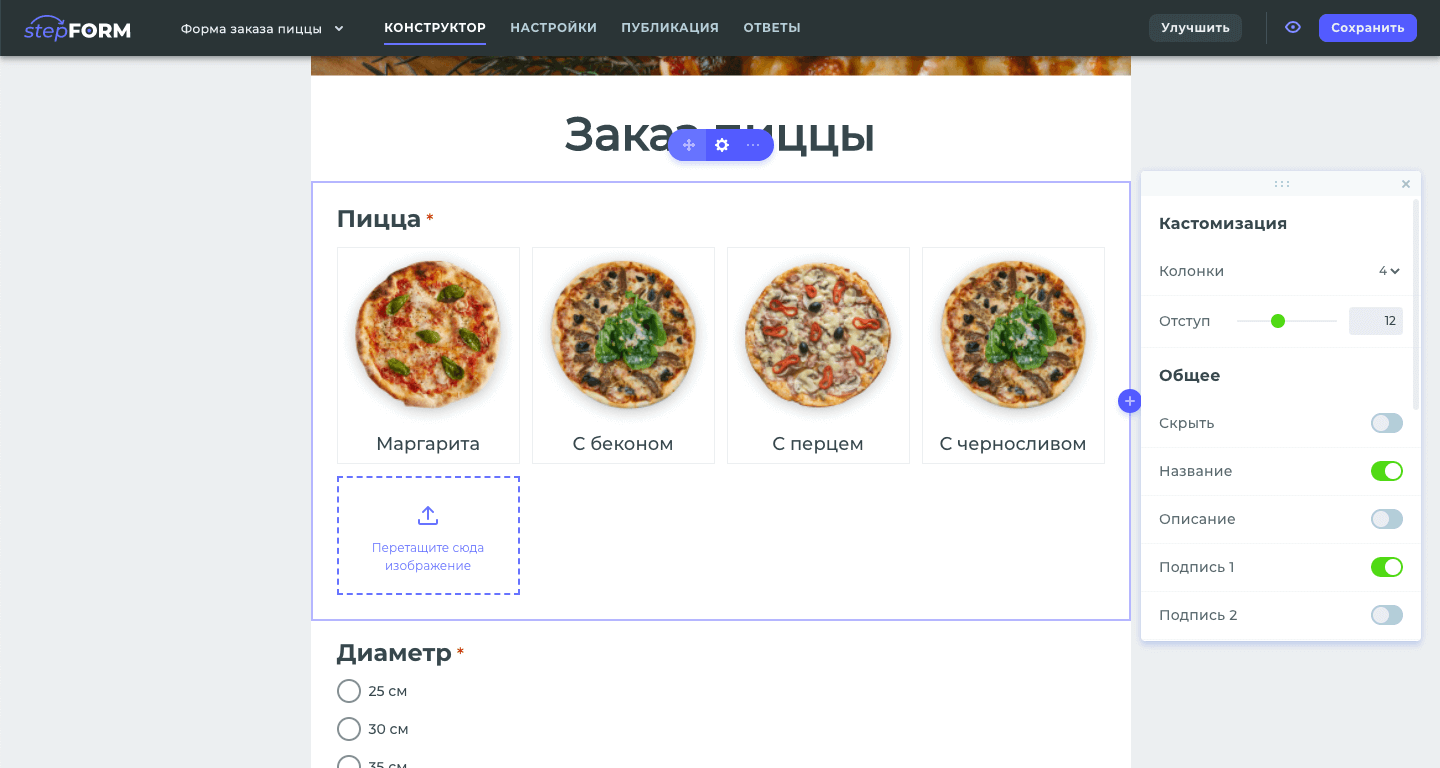
Each control has its own unique settings on the “floating panel”
Photo by Ralph (Ravi) Kayden
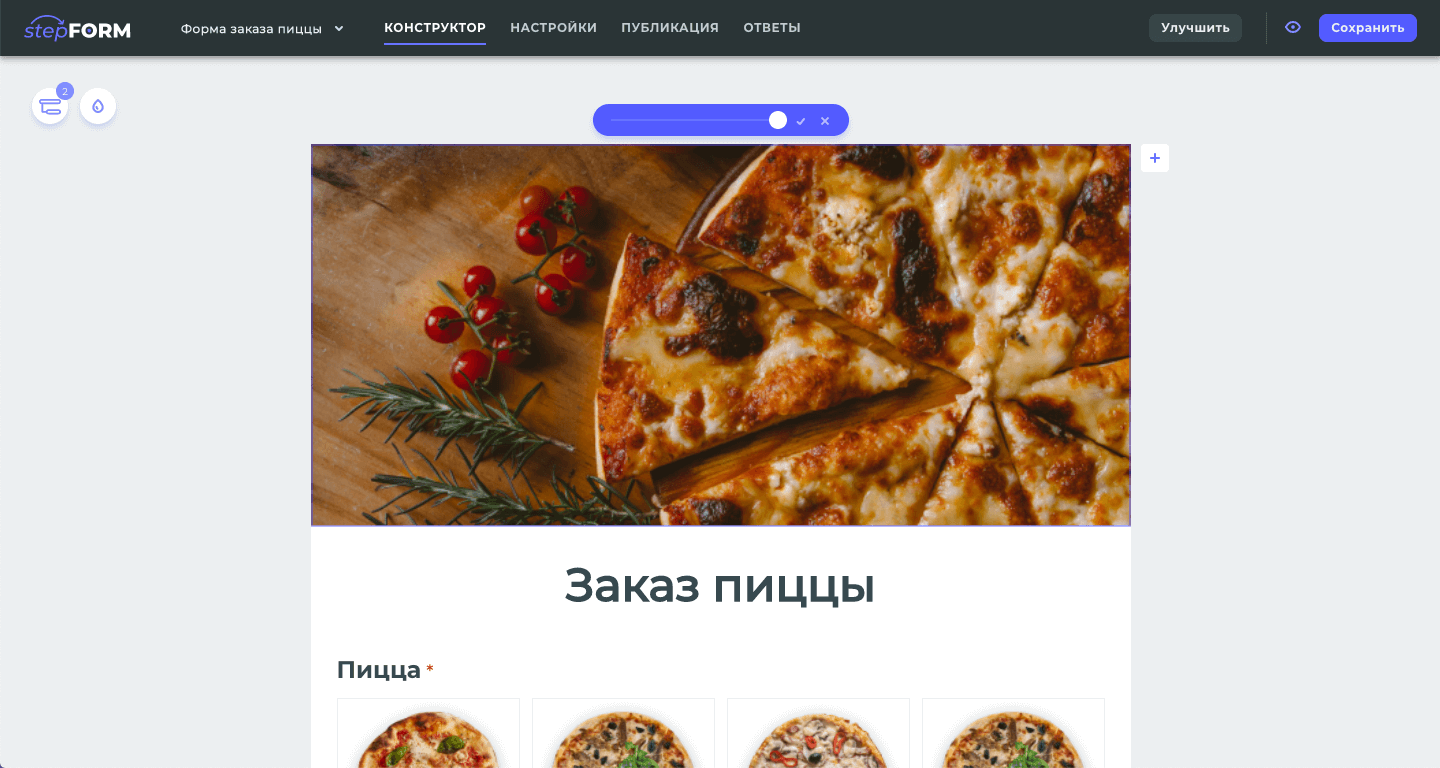
For images, there is a handy way to adjust the size
Photo by Ralph (Ravi) Kayden
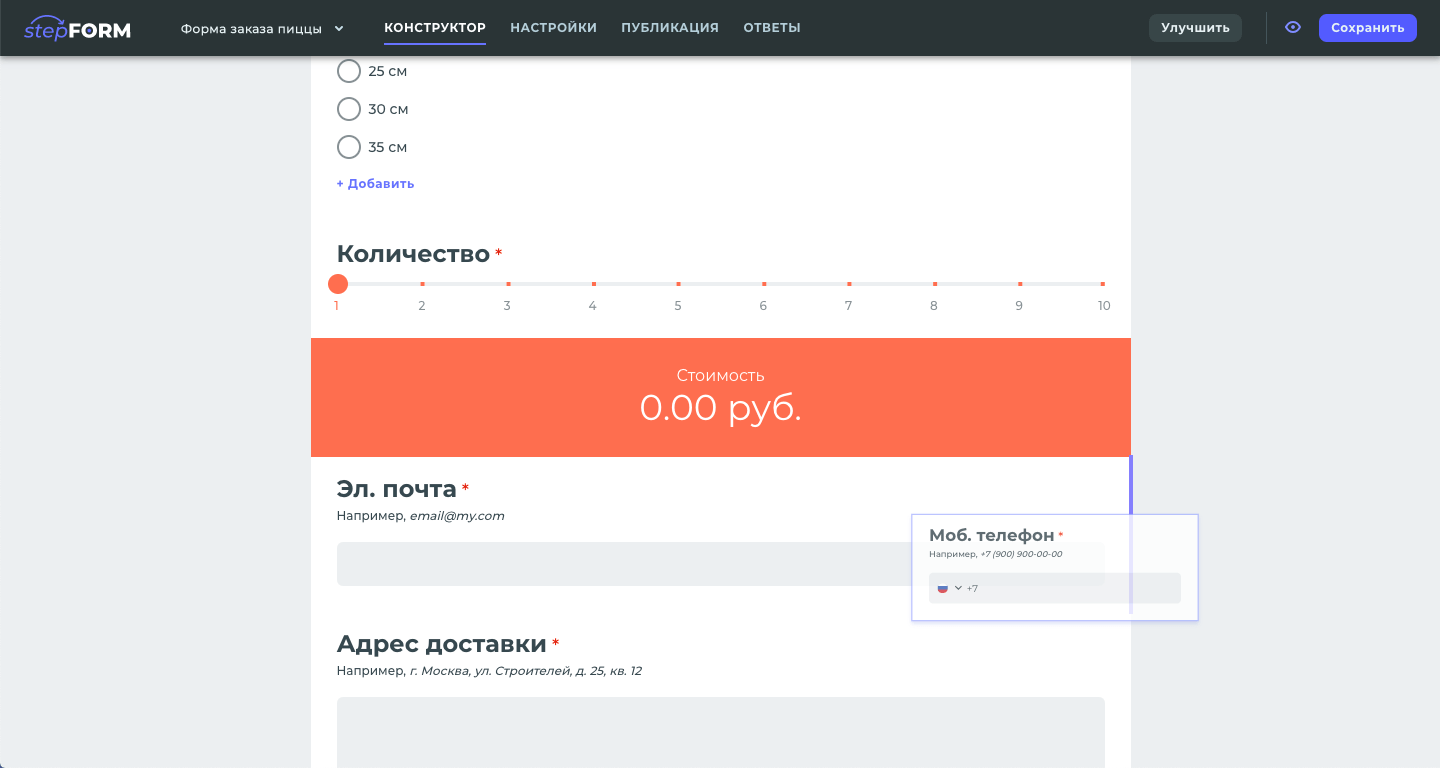
Each control can be thrown to the desired location on the form
Photo by Ralph (Ravi) Kayden
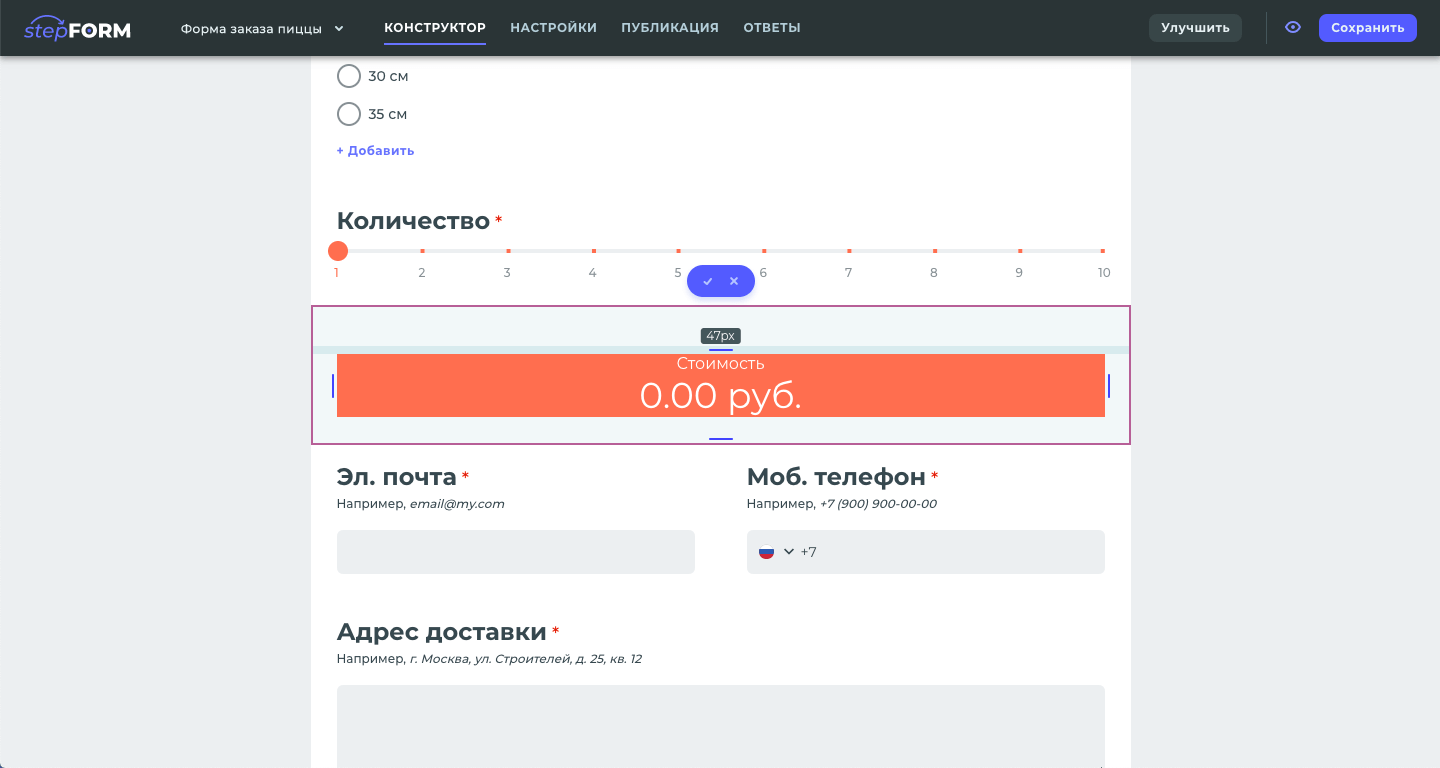
You can customize internal indents
Photo by Ralph (Ravi) Kayden
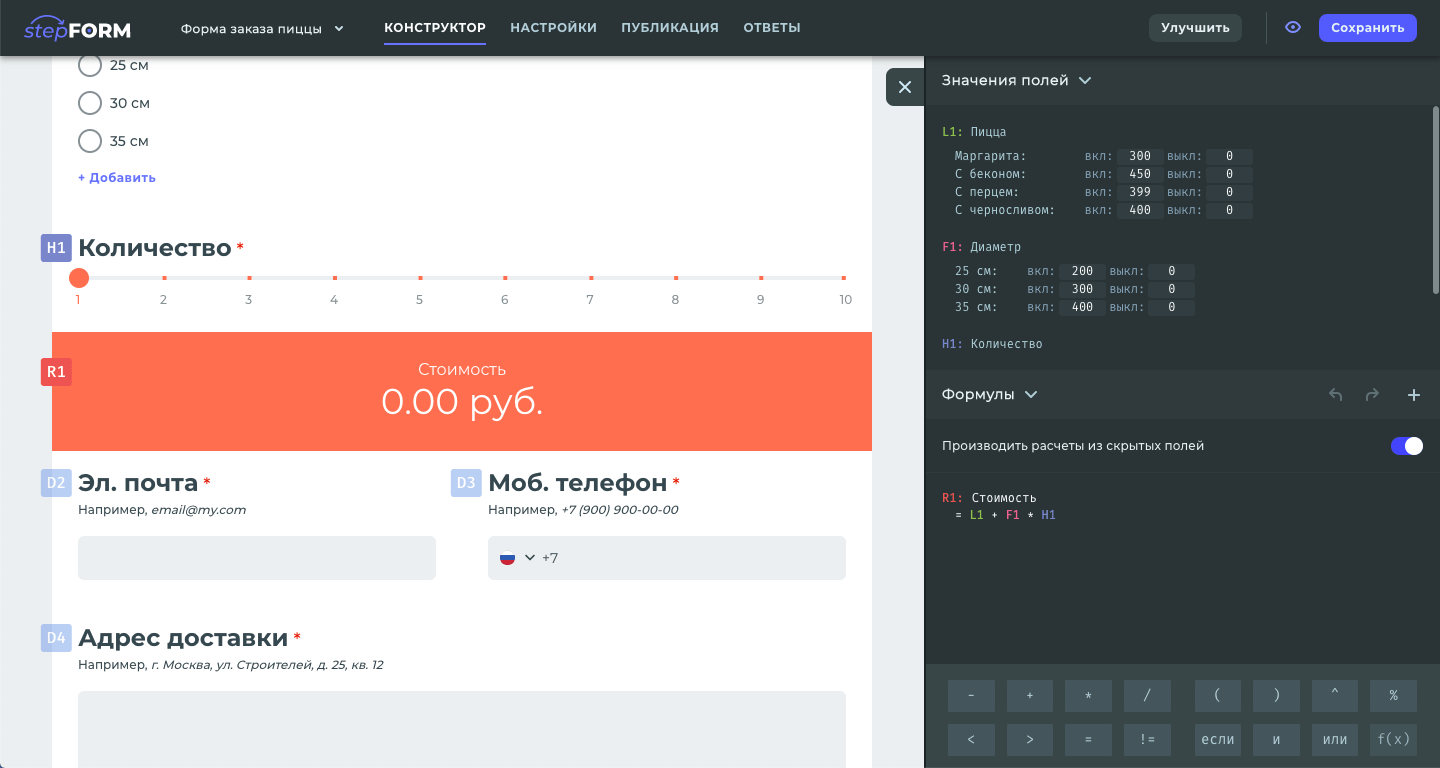
There is a separate panel for managing calculations, where you can specify values and write a formula
Photo by Ralph (Ravi) Kayden
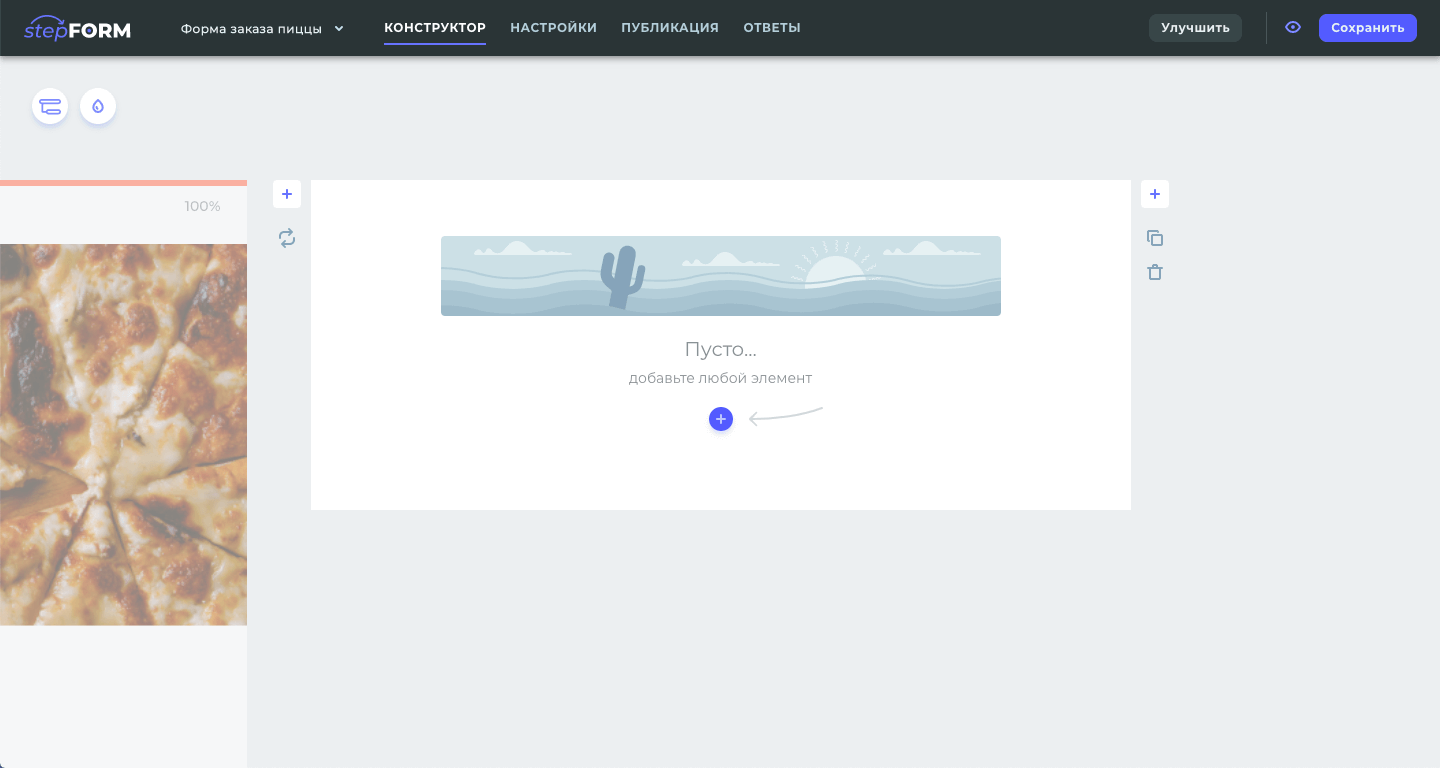
For complex shapes, a breakdown into steps is devised
Photo by Ralph (Ravi) Kayden
Customizing the design and logic of the form
GOAL
Come up with and implement an interface to customize the design and logic of forms.
SOLUTION
Here I decided to design the settings so that the shape is visible at the same time. This allows you to visually control the styling process.
In transition logic editing mode, unique numbers are shown near the form fields. This looks like an instruction when creating logic conditions.
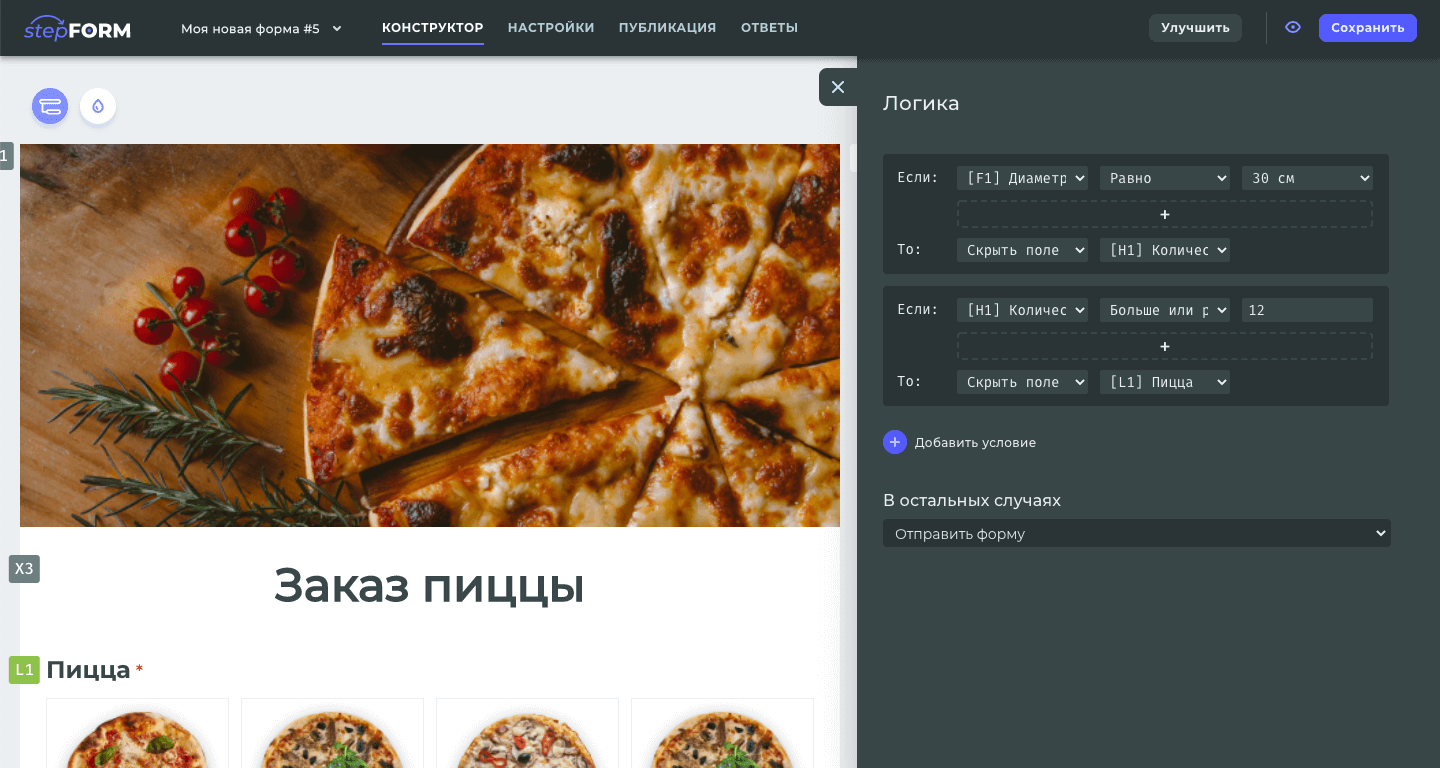
Панель для редактирования логики переходов
Photo by Ralph (Ravi) Kayden
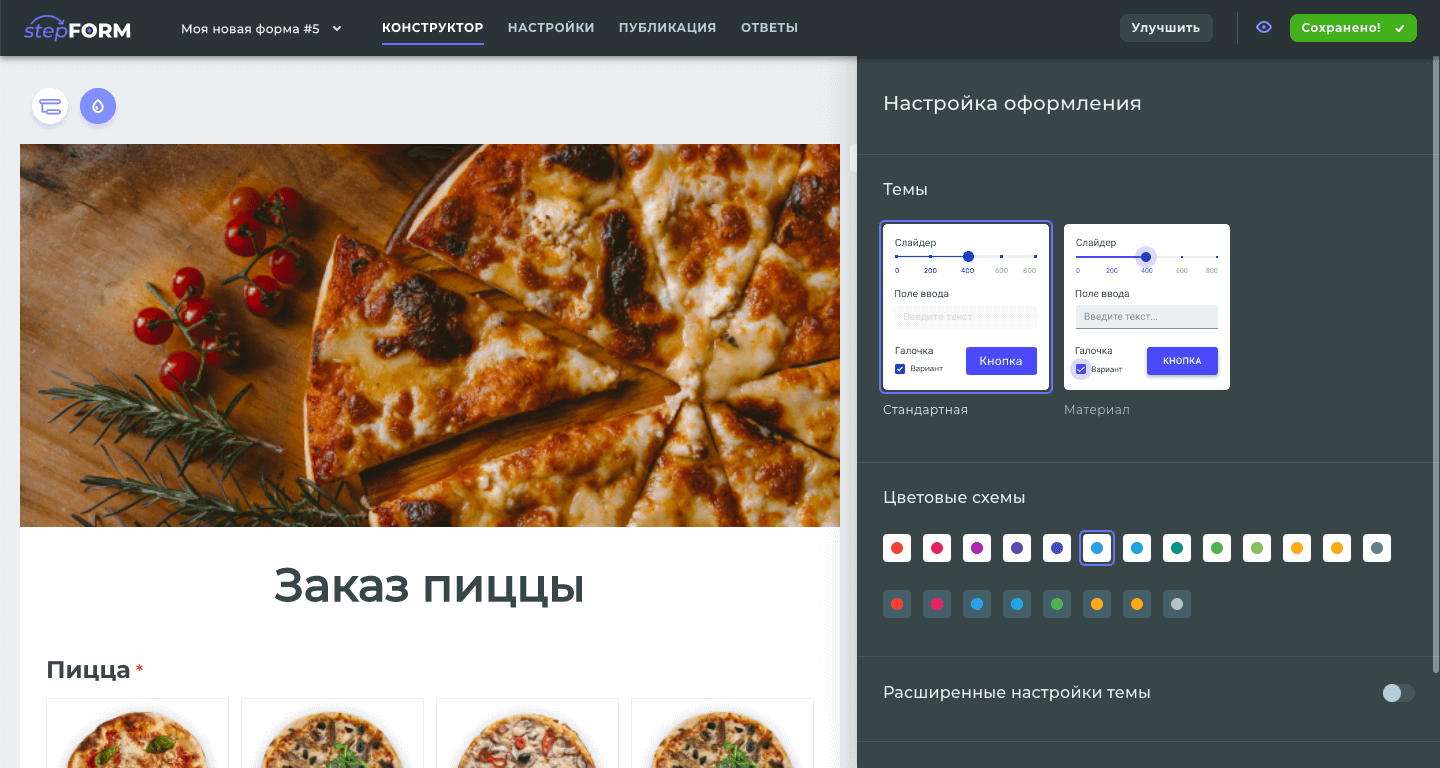
Настройка оформления формы
Photo by Ralph (Ravi) Kayden
Table of answers
GOAL
Create a visual way of displaying form responses, with sorting, filtering, multi-page and data-intensive options.
Solution
I have presented the results in the form of a table. Since the number of answers will increase, and it is more convenient to scroll down, it is reasonable to show new answers in the form of rows.
In the table, you can select which fields to show.
Sorting by field works when you click on the header in the table head.
To select the answers you want, I added a column with checkboxes. Once selected, you can delete or download some of the answers.
I got around the technical limitation of loading a large number of responses by adding multipage and select with the number of responses displayed.
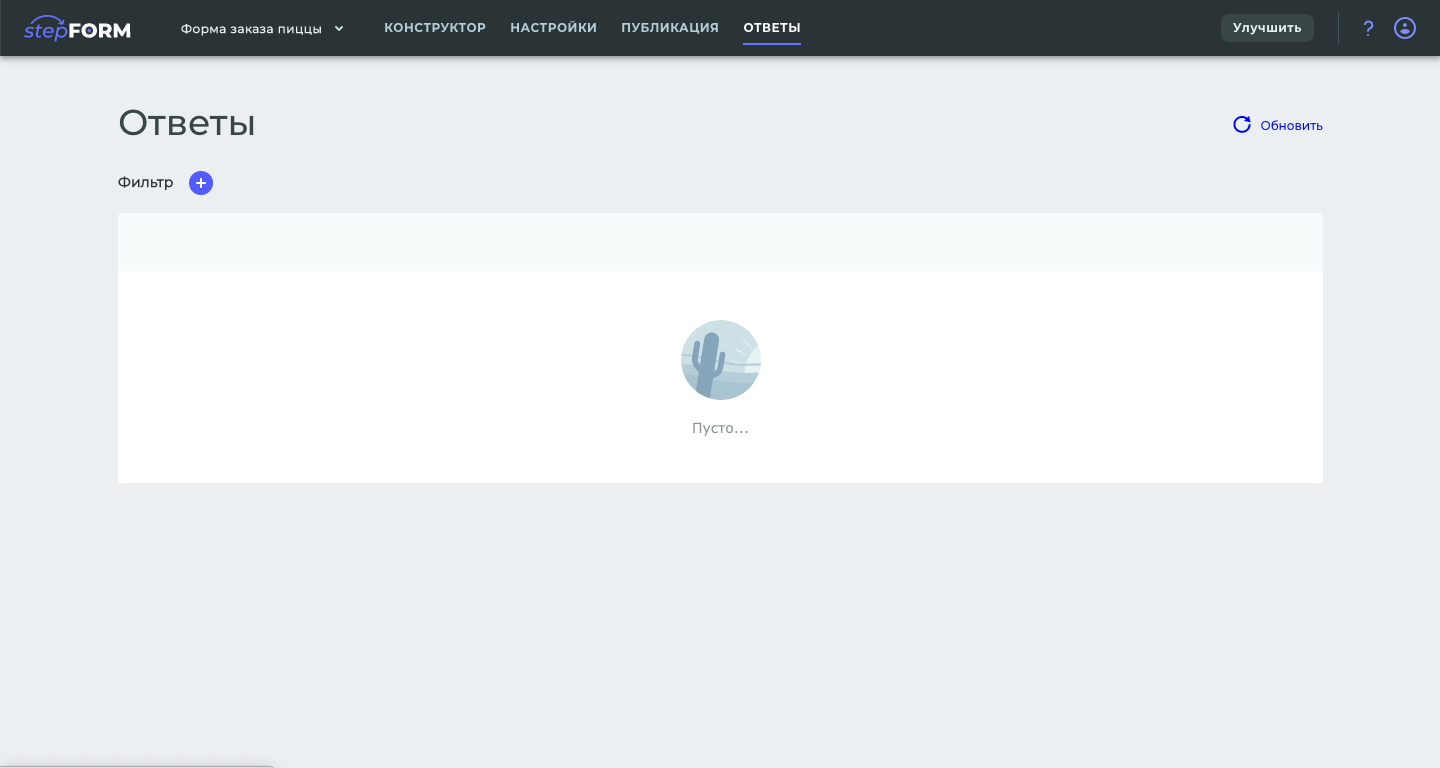
A state where there are no answers
Photo by Ralph (Ravi) Kayden
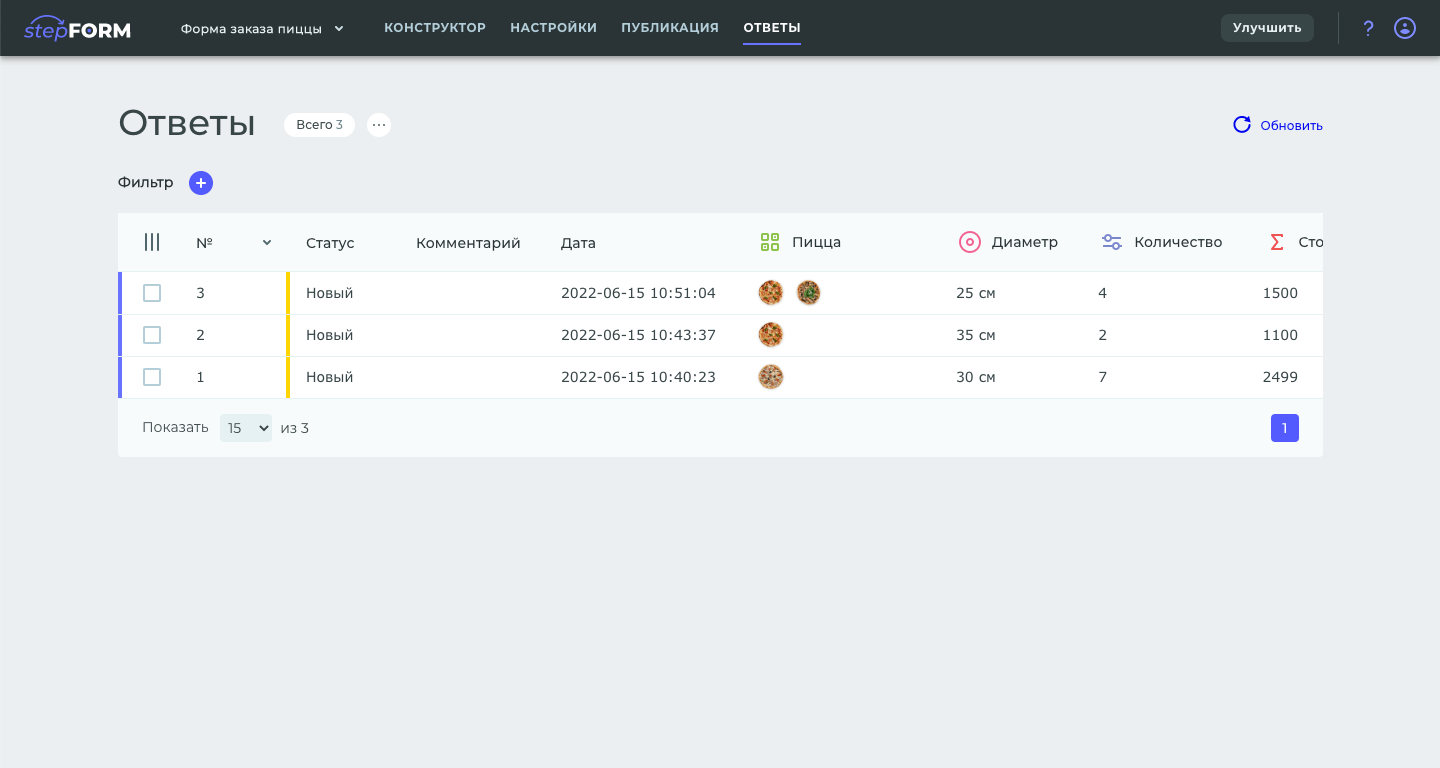
Answers are shown as rows, questions in columns
Photo by Ralph (Ravi) Kayden
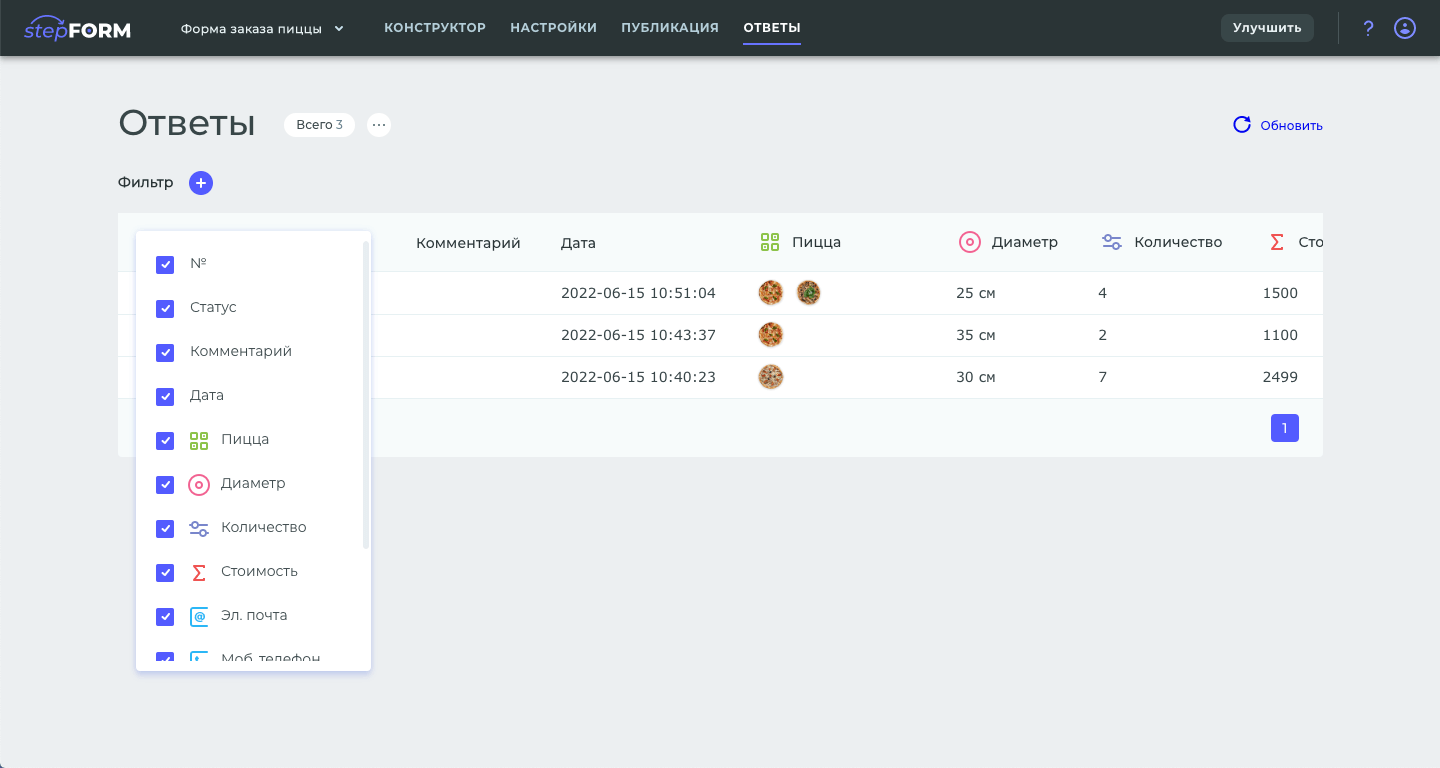
Selecting which columns to show
Photo by Ralph (Ravi) Kayden
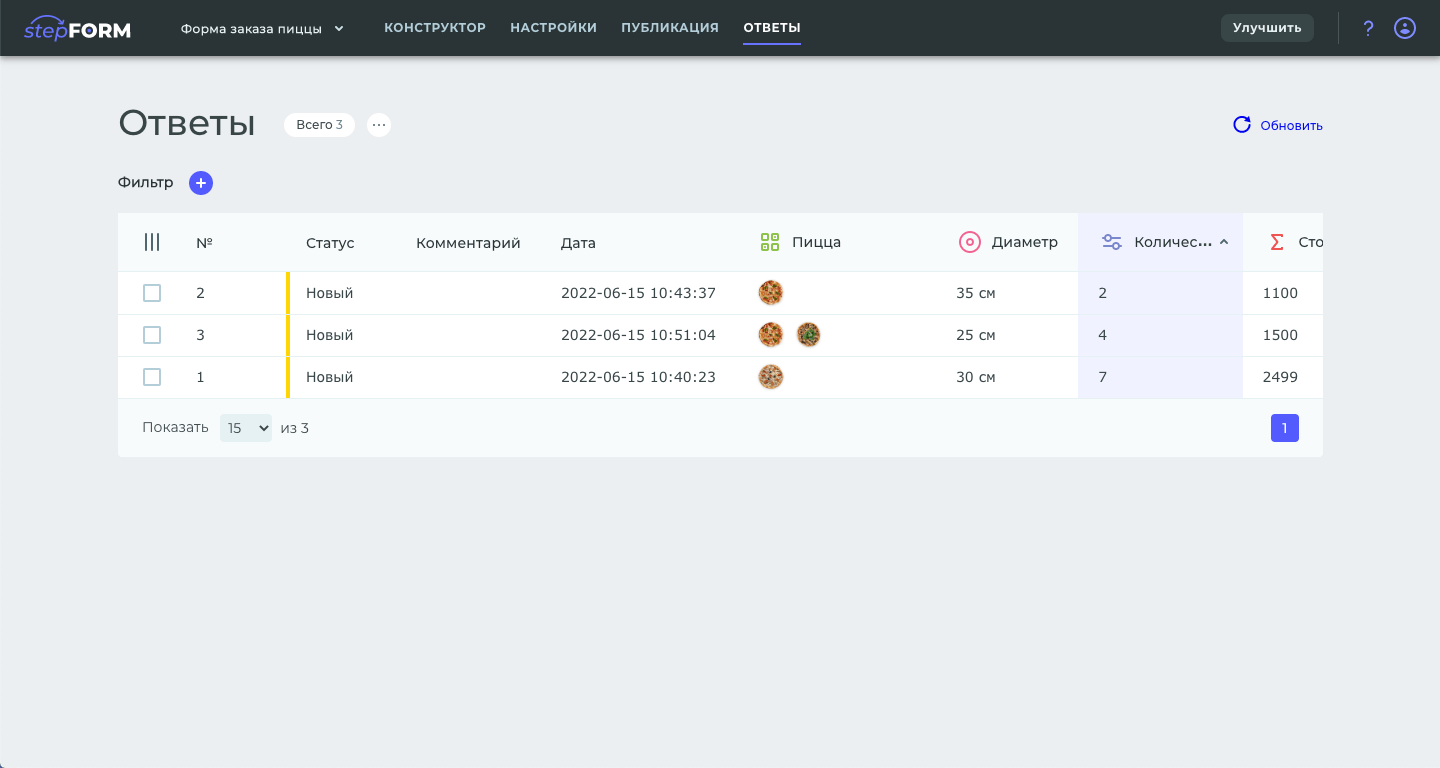
Sorting occurs when you click on the title
Photo by Ralph (Ravi) Kayden
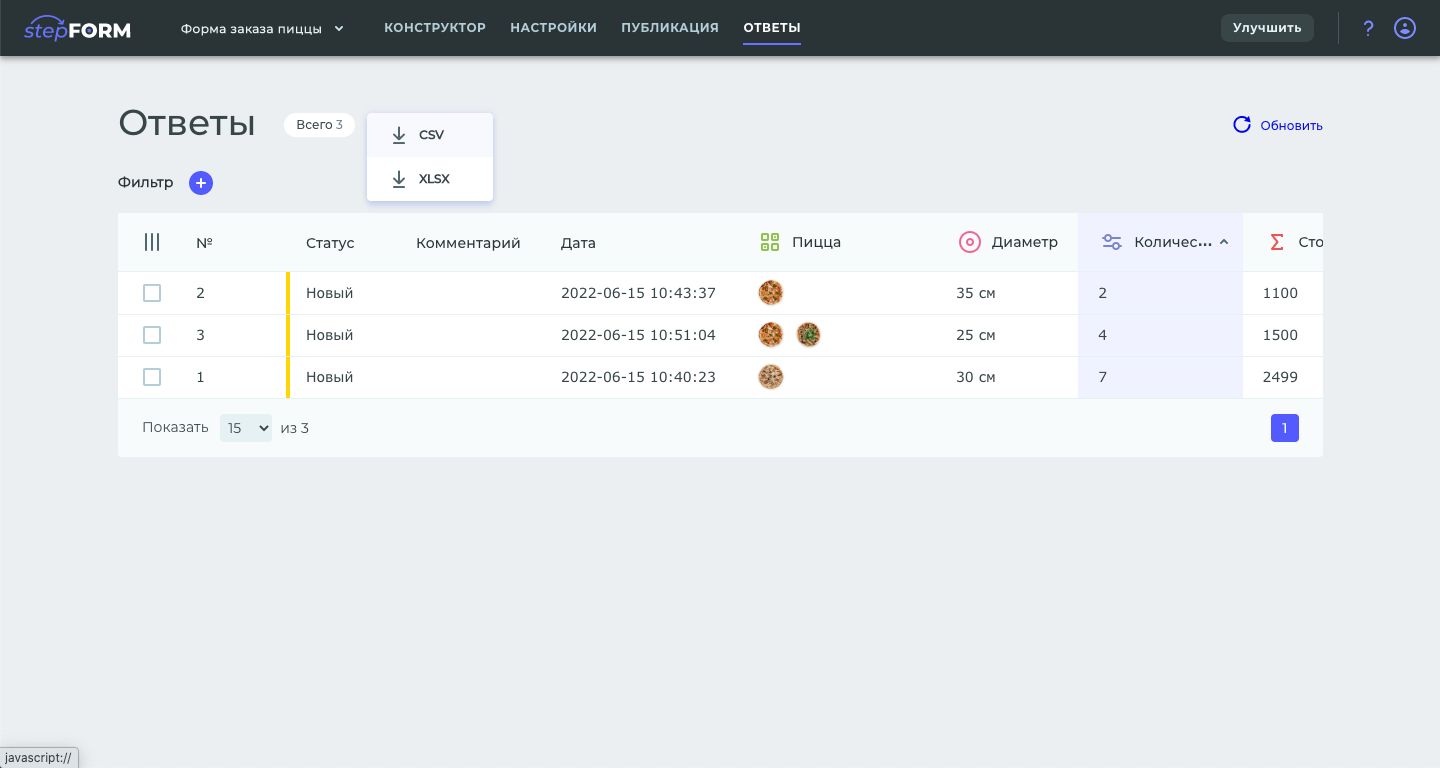
All answers can be saved as a file
Photo by Ralph (Ravi) Kayden
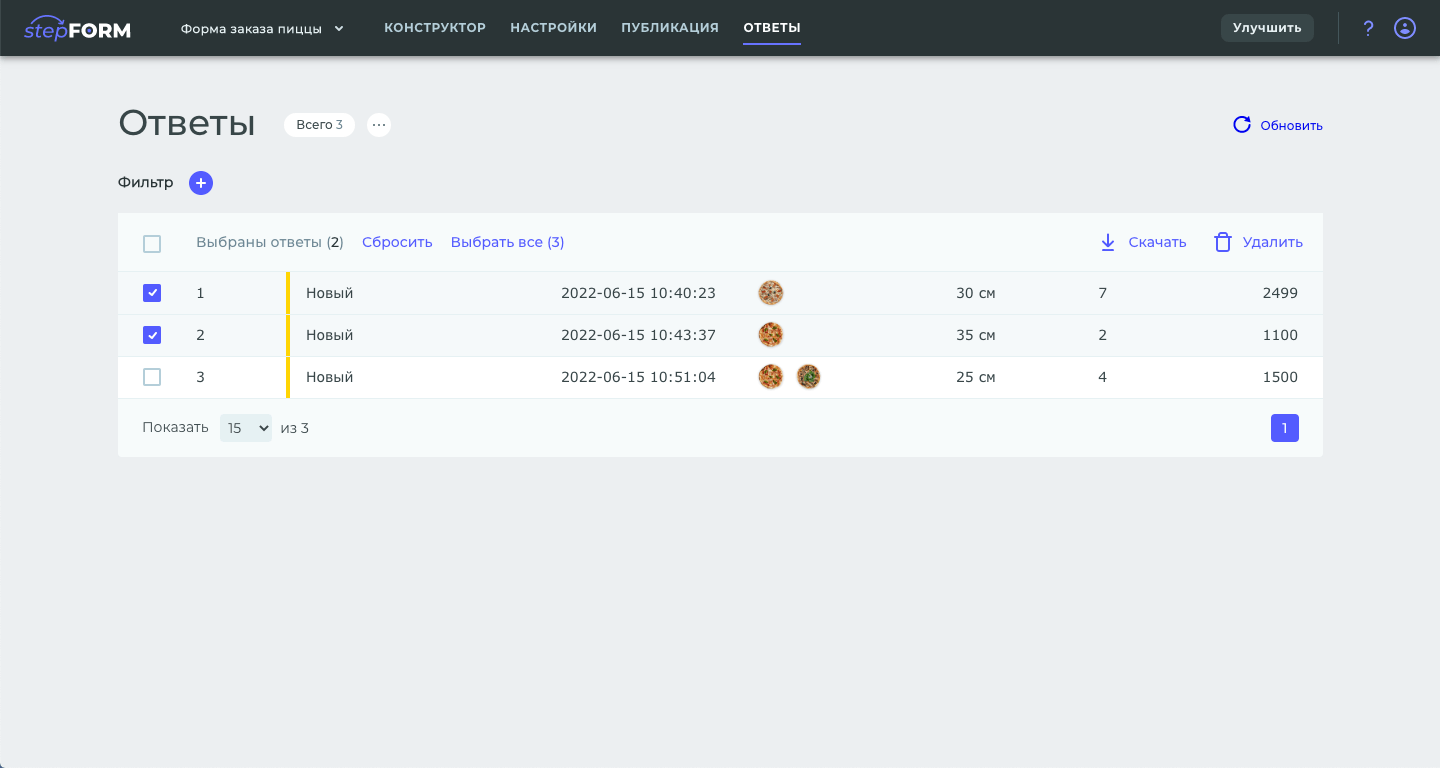
You can select the answers you want, download them, or delete them as needed
Photo by Ralph (Ravi) Kayden
Other service pages
GOAL
Add product wrapper to the designer, design sections:
- dashboard
- project settings
- sharing
- form preview
- account profile
SOLUTION
Designed and formalized the necessary sections in all required states.
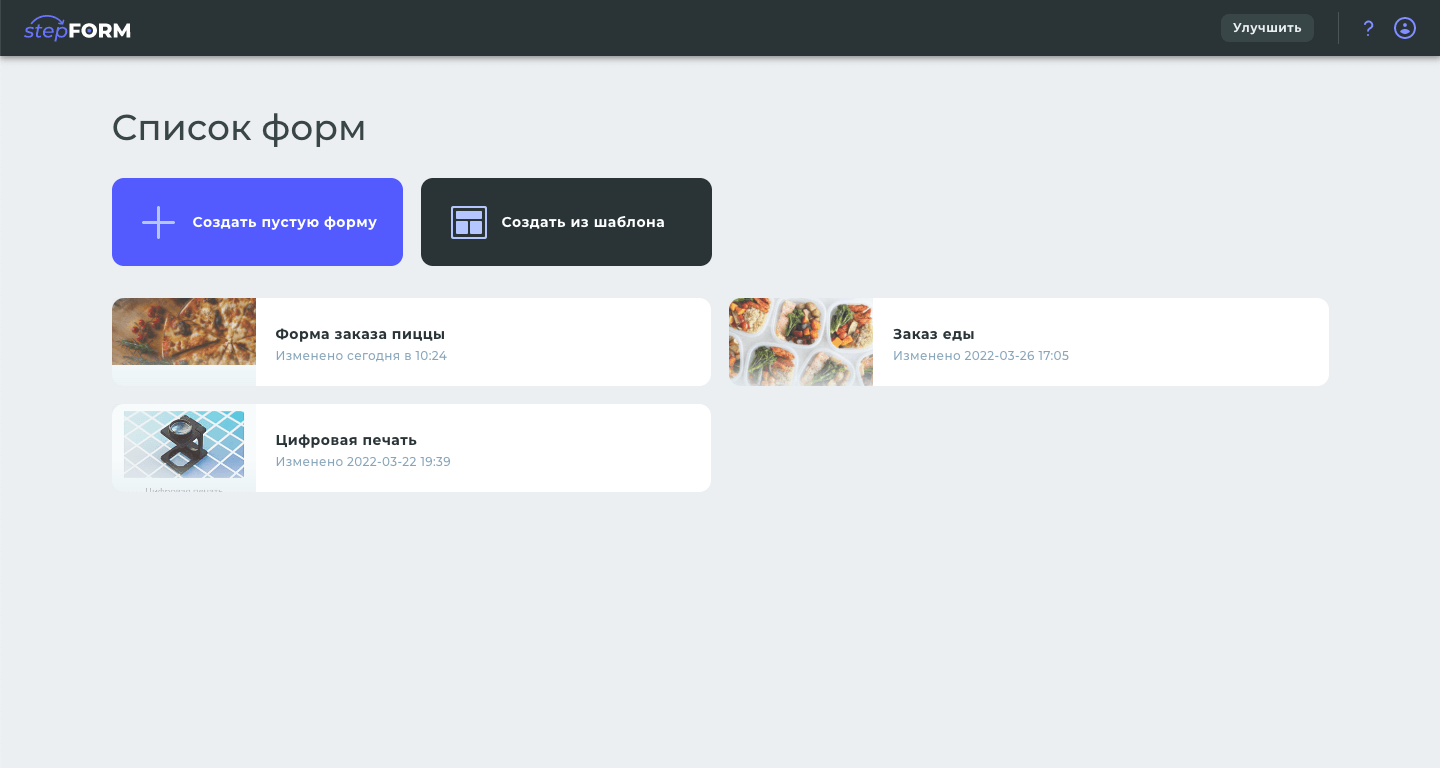
Dashboard with card projects
Photo by Ralph (Ravi) Kayden
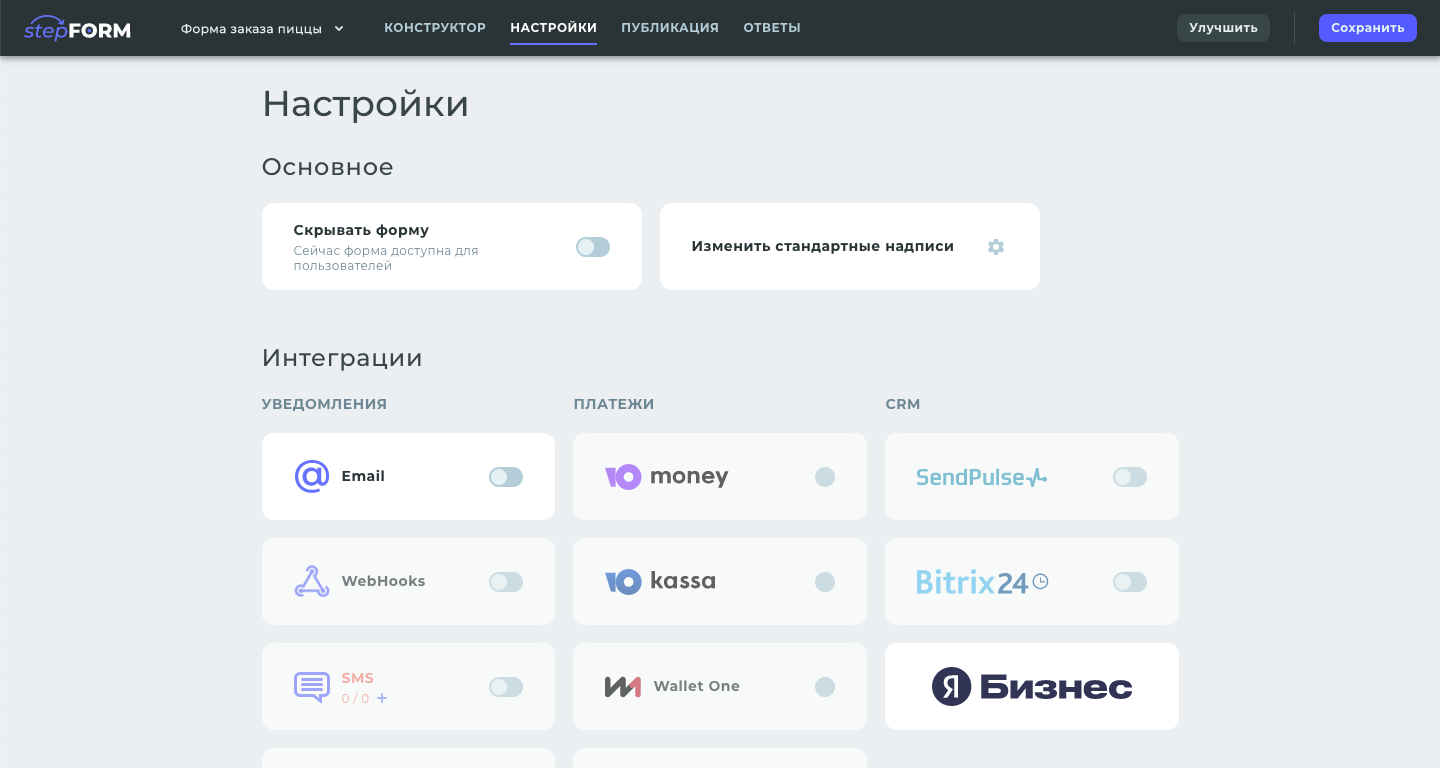
Form settings
Photo by Ralph (Ravi) Kayden
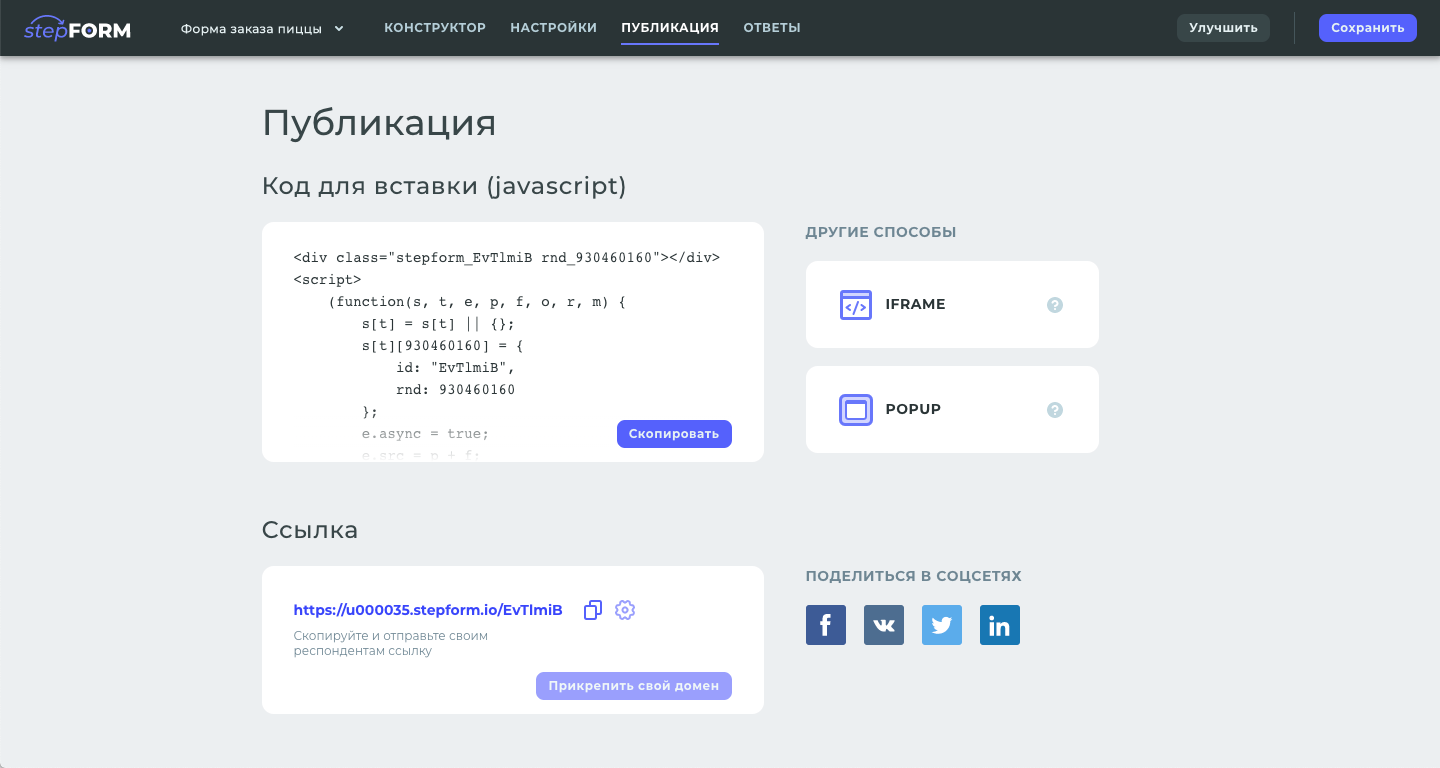
Form publishing options
Photo by Ralph (Ravi) Kayden
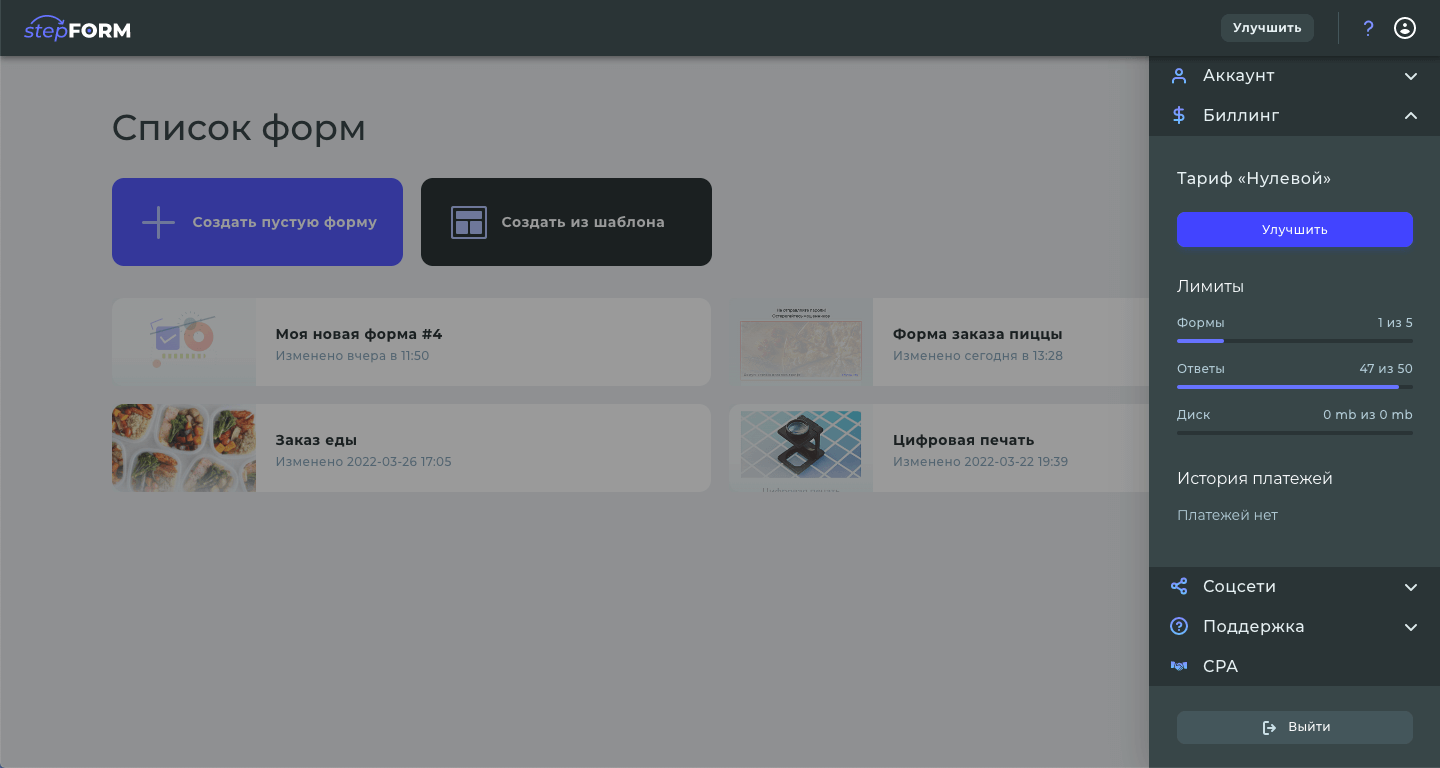
Profile in pop-up sidebar
Photo by Ralph (Ravi) Kayden
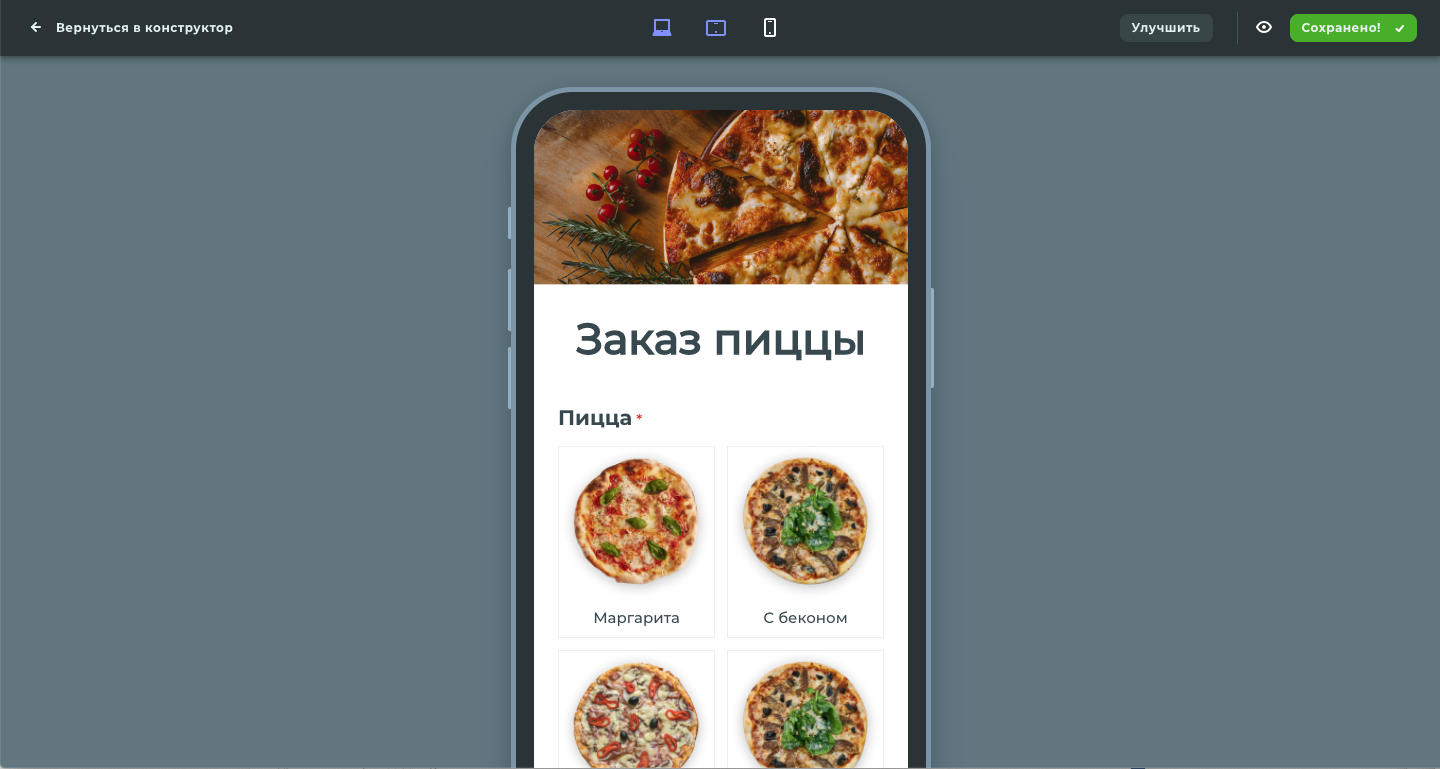
Preview the survey on your smartphone screen
Photo by Ralph (Ravi) Kayden
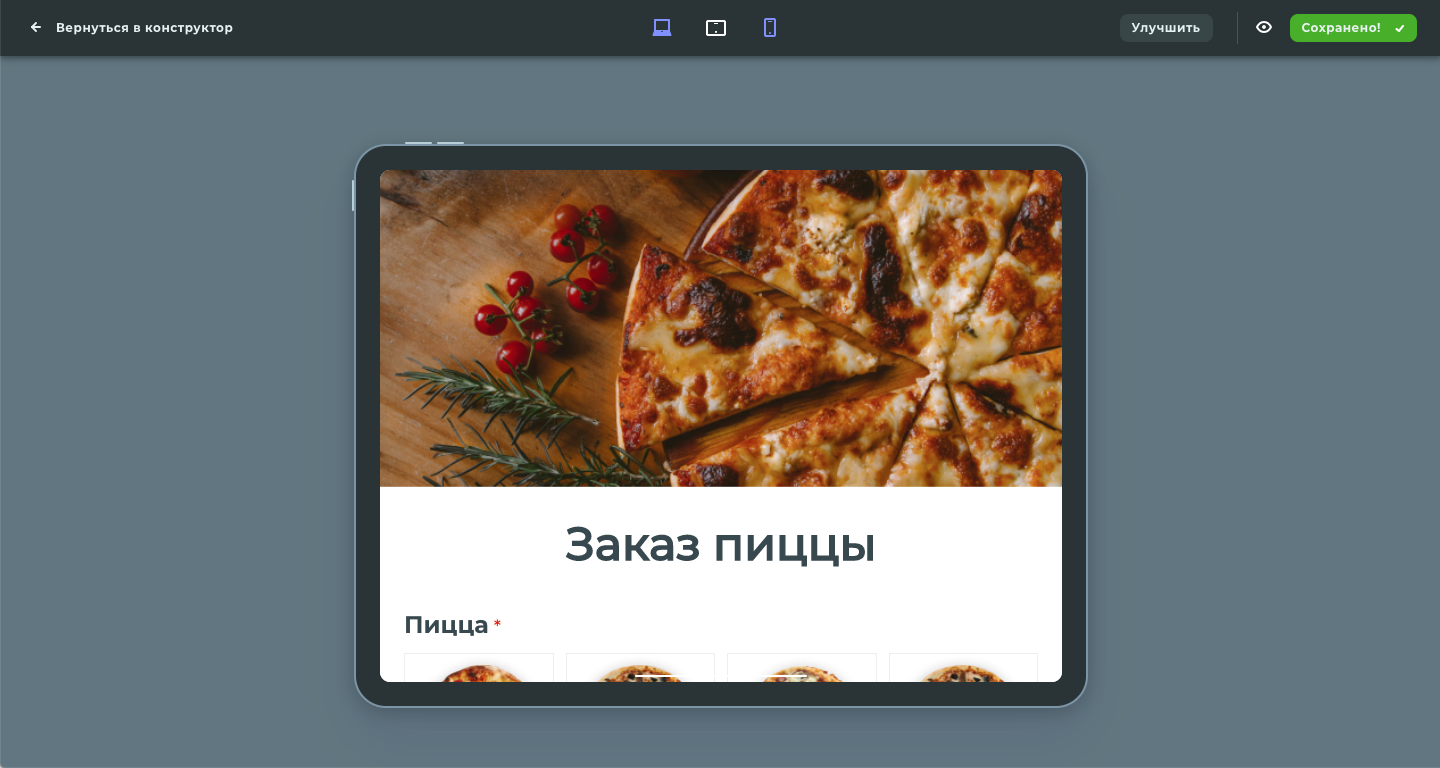
Survey preview on the tablet screen
Photo by Ralph (Ravi) Kayden
Main page
GOAL
Make the main product page, explain what the product is, what it is useful for, describe the main benefits, show examples.
Solution
Я придумал и спроектировал адаптивный дизайн главной страницы.
На первом экране я описал пользователю куда он попал и что здесь можно делать.
Далее я расписал преимущества квизов и форм, показал различные примеры готовых форм, описал процесс создания, а также почему имеет смысл выбрать именно этот конструктор.
Для привлечения внимания посетителей на первом экране я сделал интересную анимацию со слоями формы: формула + элементы + значение = готовая форма.
Список и предпросмотр шаблонов
ЗАДАЧА
Для привлечения пользователей через органический поиск требуется создать открытый каталог шаблонов форм и квизов.
РЕШЕНИЕ
Сделал страницу со списком категорий и их шаблонов в виде карточек.
В превью шаблона я поместил реальную форму, чтобы пользователь мог с ней взаимодействовать. Кнопки шеринга, чтобы пользователь мог поделится формой.
Если шаблон не подходит для пользователя, ему предлагаются близкие по тематике другие шаблоны.
Поскольку пользователь может зайти сюда не зная о StepFORM, в нижней части страницы я разместил вопросы и ответы.
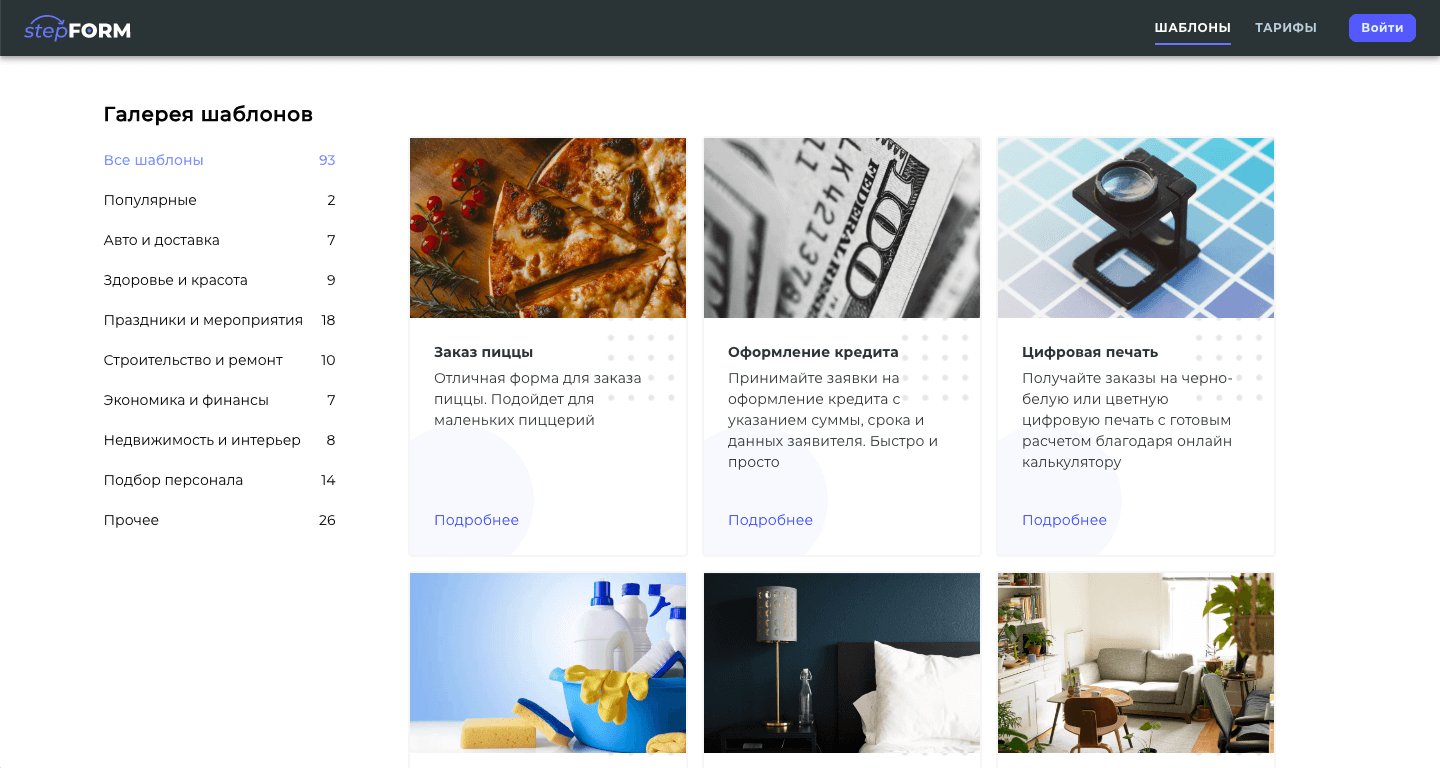
Список категорий и карточки шаблонов
Photo by Ralph (Ravi) Kayden
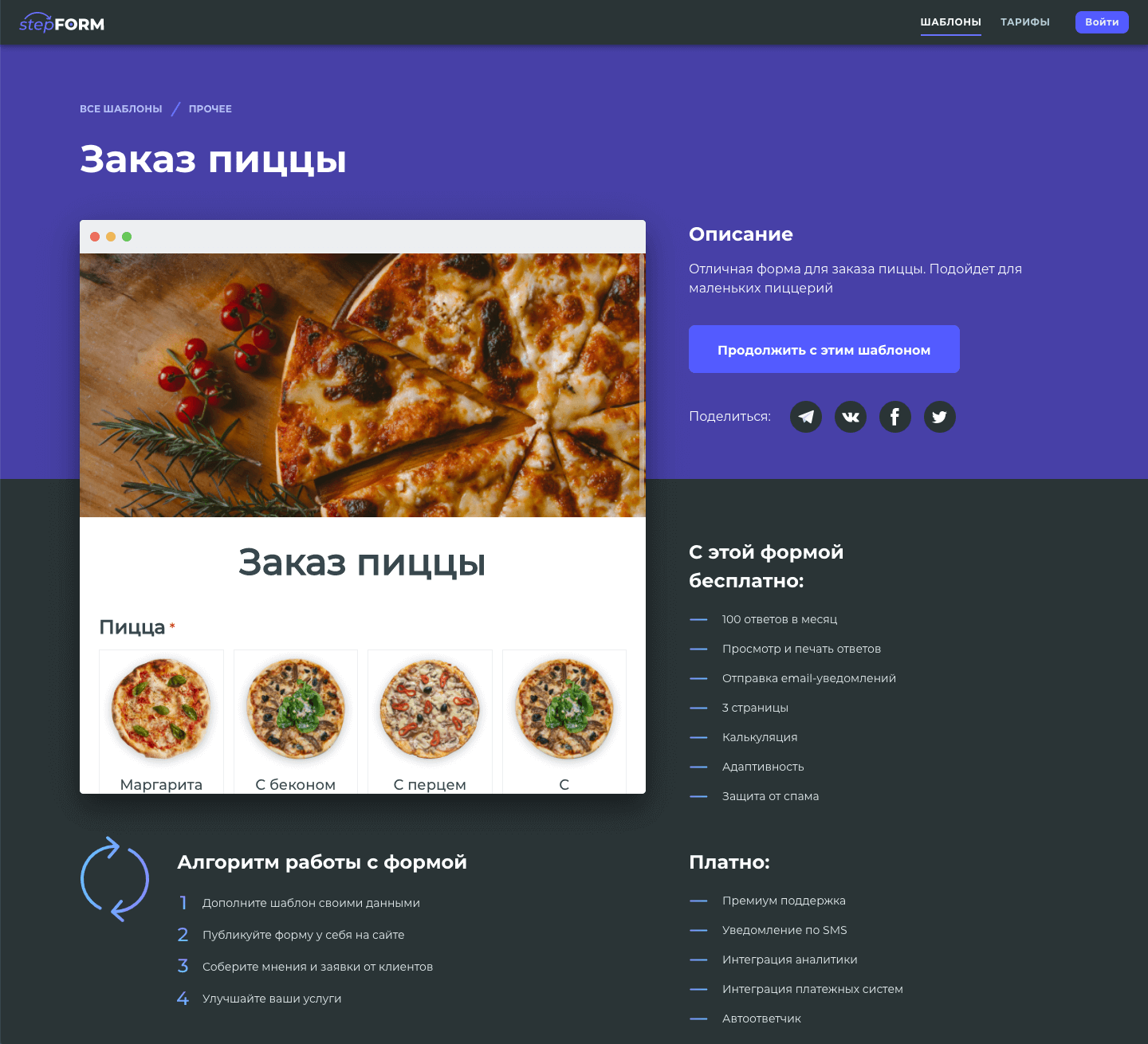
Страница с детальным описанием шаблона для поисковиков
Photo by Ralph (Ravi) Kayden
Тарифы
ЗАДАЧА
Сделать дизайн для страницы тарифов. Нужно добавить таблицу сравнения и ответами на популярные вопросы.
РЕШЕНИЕ
Тарифы я представил в виде карточек, а сравнение в виде таблицы, что является стандартом для подобного рода продуктов.
При клике на непонятный пункт сравнения, рядом с ним показывается подсказка
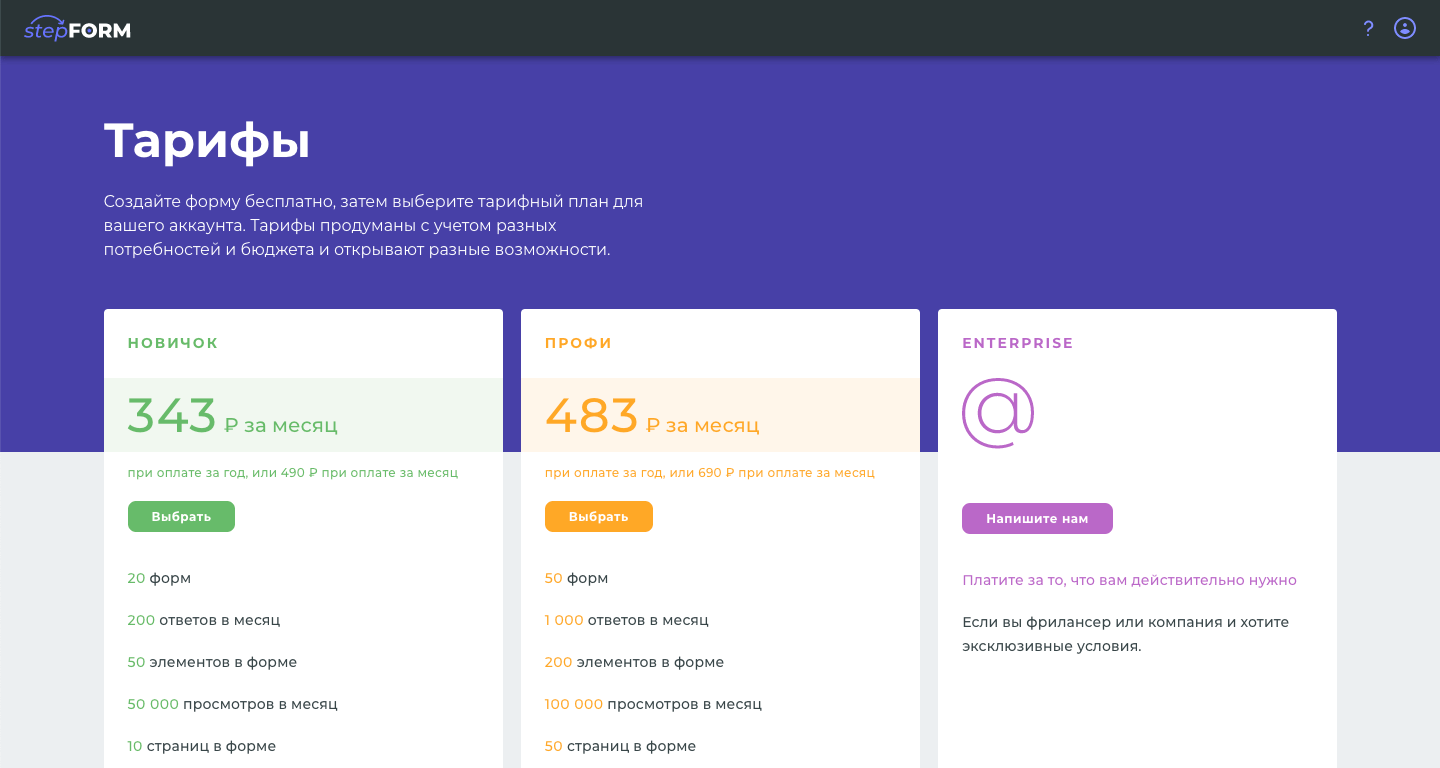
Карточки тарифов с кратким списком характеристик
Photo by Ralph (Ravi) Kayden
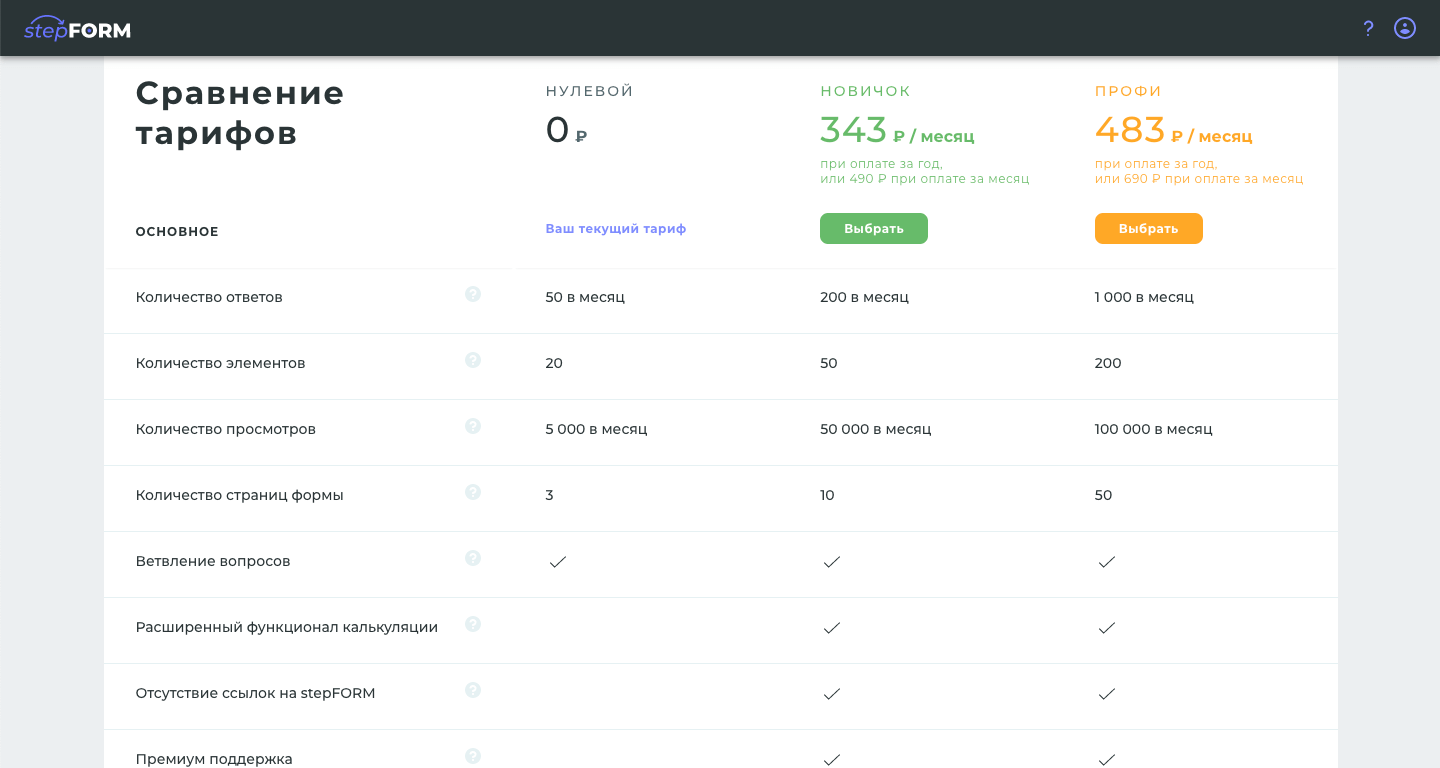
Полный список сравнения тарифов
Photo by Ralph (Ravi) Kayden
Примеры форм и опросов
Пара примеров для демонстрации того, какими разными они могут быть.
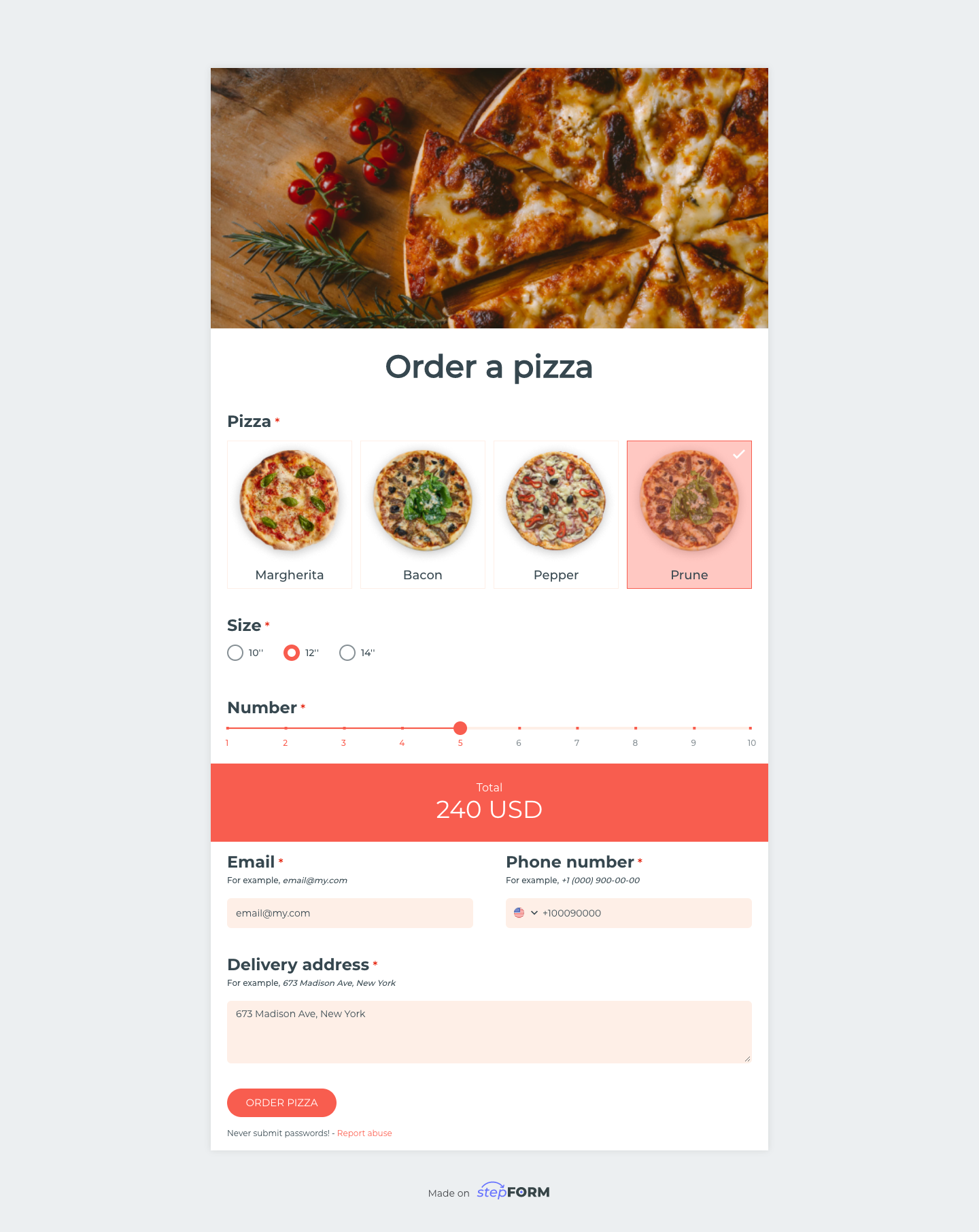
Форма заказа пиццы с блоком расчёта сверху и формой заказа снизу
Photo by Ralph (Ravi) Kayden
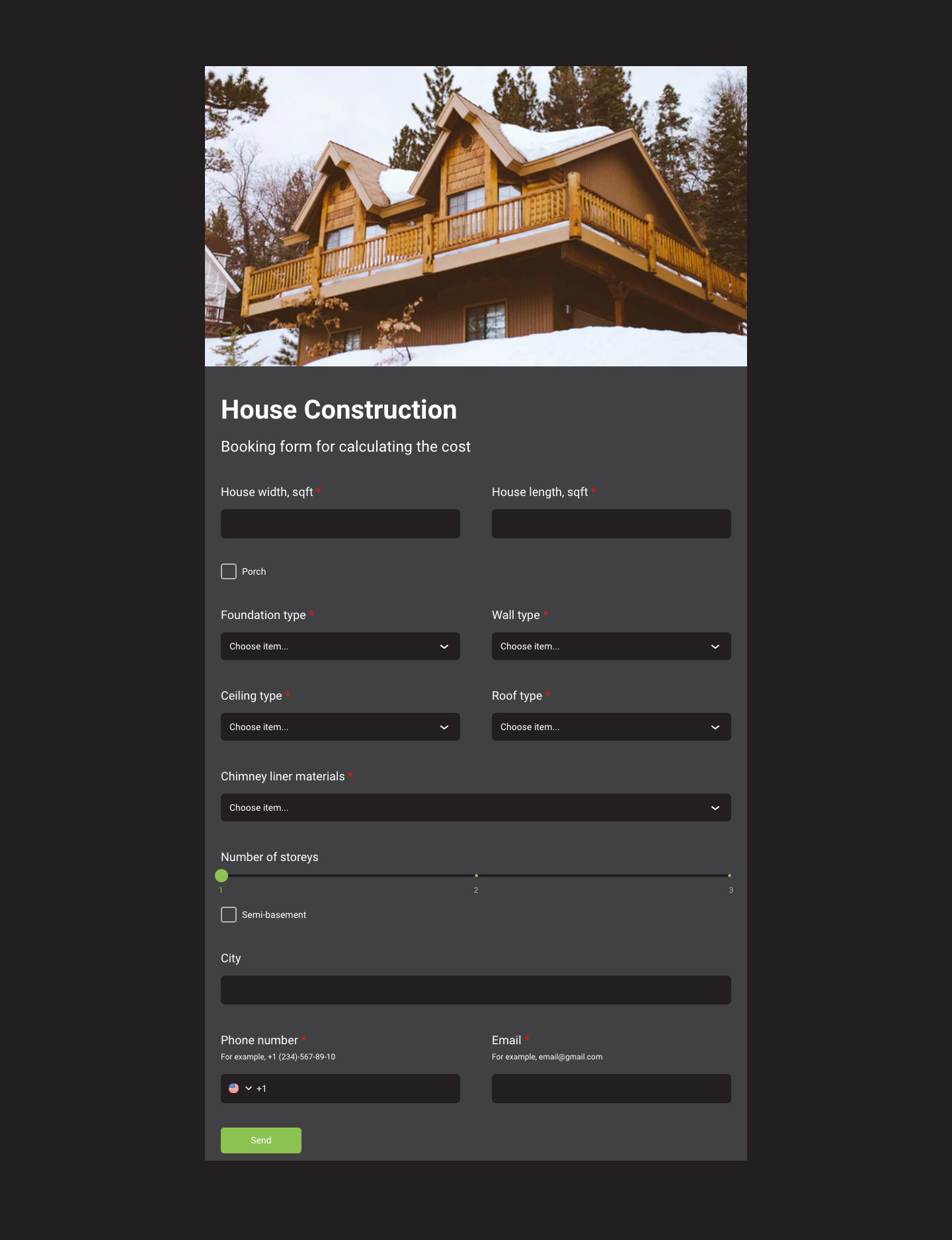
Форма для заказа расчёта стоимости строительства дома
Photo by Ralph (Ravi) Kayden
Логотип и фирменный стиль
Я выбрал глубокий синий цвет как основу стиля. В дополнение к нему нейтральный серый. Основное шрифтовое семейство — Montserrat.
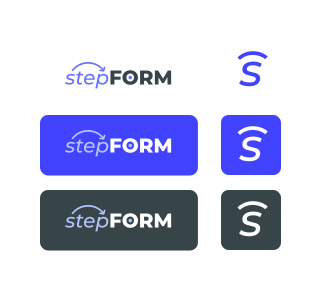
Логотипы с различными фонами в полном и сокращенном варианте
Photo by Ralph (Ravi) Kayden
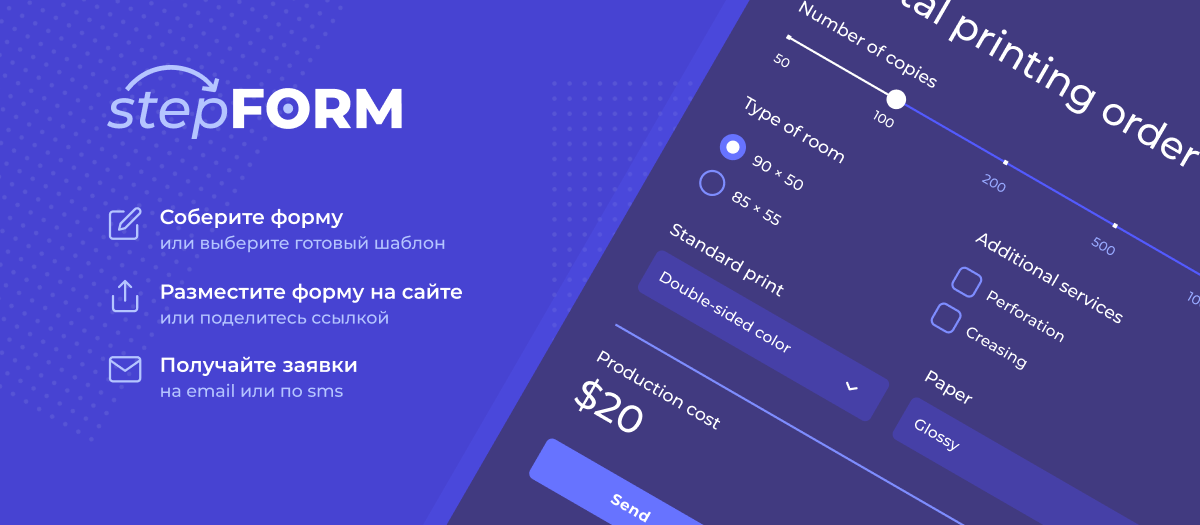
Пример баннера
Photo by Ralph (Ravi) Kayden
Конкурентная разведка
В ходе работы над продуктом, я изучил и опробовал 47 близких и дальних конкурентов. Лучшие подходы и практики я учитывал проектируя интерфейс StepFORM.
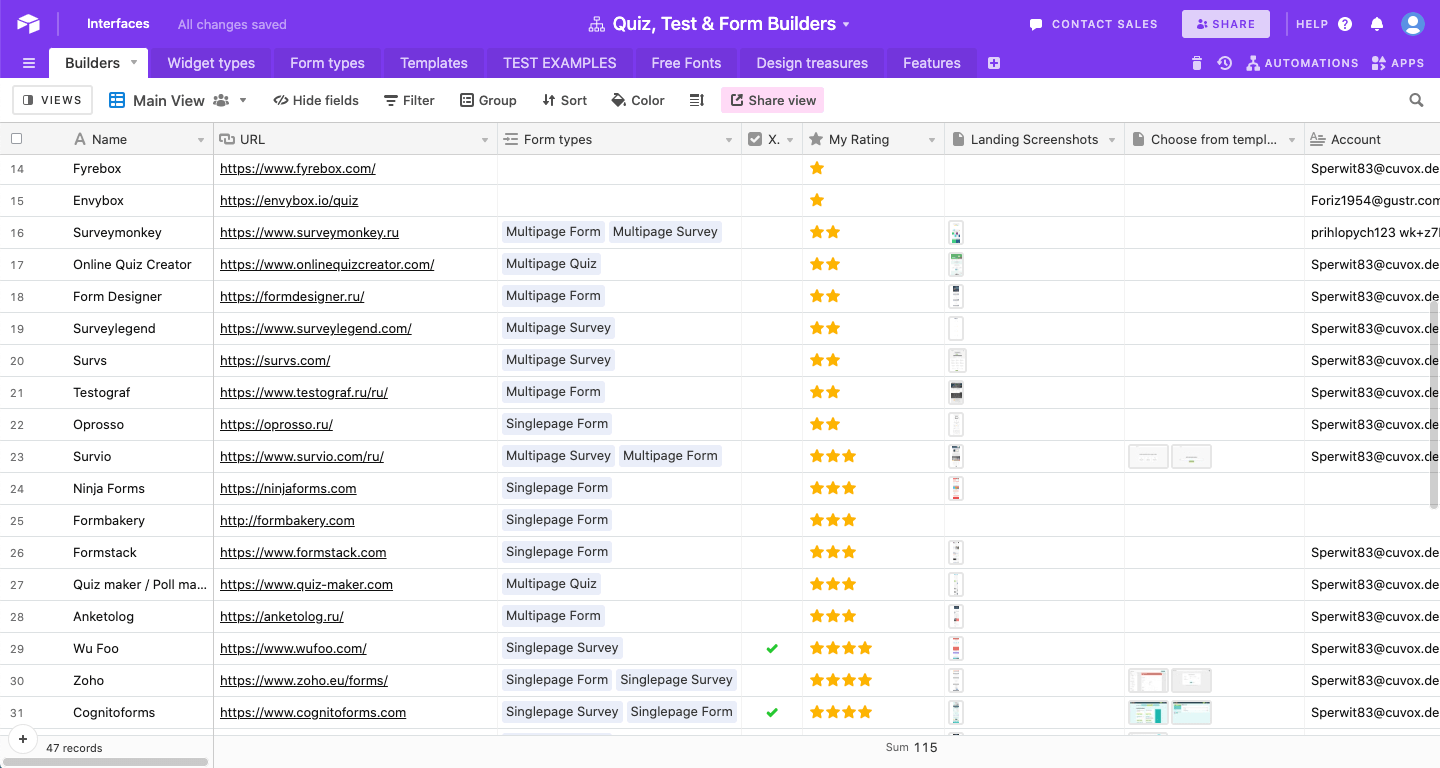
Таблица конкурентов StepFORM
Photo by Ralph (Ravi) Kayden
Результаты
Продукт пользуется популярностью в нише, имеет несколько десятков тысяч регистраций.
© Artem Zhigalin | psycholcycle@gmail.com